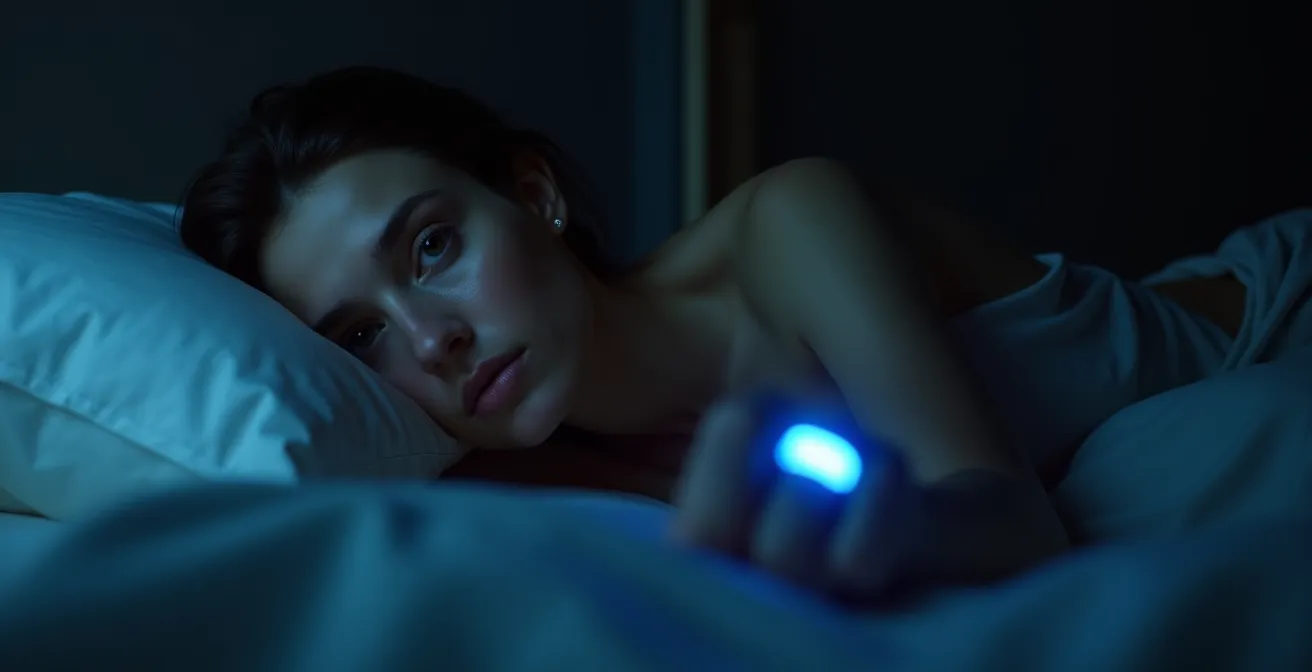
The key to better sleep isn’t a perfect score, but learning to use your tracker as a tool for curiosity, not a source of judgment.
- Your tracker is often wrong about specific sleep stages like “deep sleep,” making panic over a low score pointless.
- Checking your score first thing in the morning can trigger a stress response (cortisol), negatively coloring your entire day.
Recommendation: Shift your mindset from chasing a number to conducting personal experiments. Use your data to see how lifestyle changes, like reducing alcohol, impact your body, and always prioritize how you feel over what the app says.
You wake up, maybe even feeling refreshed. But before your feet touch the floor, you reach for your phone or glance at your wrist. The screen glows, revealing last night’s sleep score: a disappointing 68. The app flags your deep sleep as “too low” and notes several awakenings you don’t even remember. Suddenly, that refreshed feeling vanishes, replaced by a wave of anxiety and the conviction that you’re going to have a terrible, tired day. If this scenario feels familiar, you’re not alone. You’re experiencing a phenomenon known as orthosomnia—an unhealthy obsession with achieving “perfect” sleep, driven by the very devices meant to help us.
The common advice is to focus on sleep hygiene: a dark room, a cool temperature, no caffeine. While these are foundational, they miss the psychological core of the problem. The anxiety isn’t just about sleep; it’s about performance, data, and a feeling of failure when the numbers don’t meet expectations. In my practice as a sleep psychologist, I see more and more individuals caught in this cycle, their quest for optimized sleep paradoxically leading to more sleepless nights.
But what if the solution isn’t to abandon your tracker, but to fundamentally change your relationship with it? This article will guide you to reframe your device not as a strict report card, but as a personal science lab. We will explore how to interpret its data with healthy skepticism, use it to run meaningful personal experiments, and ultimately, reclaim your peace of mind by learning to trust your body’s signals over a digital score.
This guide will explore how to navigate the complex relationship with sleep data. By understanding the technology’s limitations and your own psychological responses, you can transform your tracker from a source of anxiety into a genuine tool for well-being.
Summary: How to Escape the Anxiety of Sleep Tracking
- Why You Shouldn’t Panic If Your Tracker Says You Got Zero Deep Sleep?
- The Morning Mistake: Why Looking at Your Sleep Score First Thing Ruins Your Mood?
- Ring or Watch: Which Tracker Is Less Disruptive for Light Sleepers?
- How to Use Your Tracker to Prove Alcohol Ruins Your Resting Heart Rate?
- When to Take a “Data Detox” Break from Your Sleep Tracker?
- Sleep Duration or Quality: Which Metric Predicts Athletic Performance Better?
- Software or Glasses: What Actually Helps You Sleep After Late-Night Papers?
- How to Configure Your Notification Channels to Recover 1 Hour of Focus Daily?
Why You Shouldn’t Panic If Your Tracker Says You Got Zero Deep Sleep?
One of the most common sources of sleep-related anxiety I encounter is a patient’s panic over a “low” or “zero” deep sleep reading. It’s crucial to understand a fundamental truth: consumer-grade sleep trackers are not medical devices. They are excellent at tracking binary states—sleep vs. wake—but their ability to accurately differentiate between sleep stages (light, deep, REM) is significantly less reliable. In fact, research shows that consumer sleep trackers only accurately identify deep sleep about 59% of the time when compared to the gold standard, polysomnography (a clinical sleep study).
These devices work by using accelerometers to detect movement and optical sensors to measure heart rate. From these indirect signals, they run an algorithm to *estimate* your sleep stages. A night of minimal movement might be misinterpreted as deep sleep, while a perfectly normal, healthy night with slight shifts could be flagged as having poor quality. Panicking over this data is like getting upset with a weather app for being a few degrees off. The data point is an educated guess, not an undeniable fact. The real measure of a good night’s sleep is how you feel: rested, clear-headed, and ready for the day. The obsession with a single, often inaccurate, metric can create a self-fulfilling prophecy where the anxiety itself becomes the primary disruptor of your sleep.
Action Plan: Reconnect with Your Body’s Data
- Rate your energy level from 1-10 upon waking naturally.
- Ask yourself ‘Do I feel rested?’ before looking at any data.
- Check if your mind feels clear and focused.
- Notice if you feel physically recovered from yesterday’s activities.
- Only then check your tracker data for context, not judgment.
The Morning Mistake: Why Looking at Your Sleep Score First Thing Ruins Your Mood?
The habit of checking your sleep score immediately upon waking is one of the most detrimental behaviors for someone prone to orthosomnia. This single act can set a negative tone for your entire day, regardless of how you actually slept. From a psychological perspective, you are priming your brain for judgment. Before you’ve even had a chance to assess your own physical and mental state, you are seeking external validation (or condemnation) from an algorithm. This creates a nocebo effect: if the tracker tells you that you slept poorly, you are more likely to feel and act tired, even if you might have otherwise felt fine.
This isn’t just a psychological quirk; it has a physiological basis. As sleep expert Dr. Kelly Baron noted in a CNN Health report, this behavior triggers a stress response. She explains:
The act of checking the score is neurologically similar to checking for ‘likes’ on social media—it’s a variable reward that can start the day with a hit of disappointment and cortisol, not calm.
– Dr. Kelly Baron, CNN Health Report on Orthosomnia
This burst of cortisol, the body’s primary stress hormone, immediately puts you in a state of fight-or-flight. It counteracts the restorative processes of sleep and can lead to a feeling of being “on edge” from the moment you wake up. The solution is to create a deliberate, tech-free buffer in the morning. Give yourself at least 30-60 minutes to wake up, stretch, get some sunlight, and hydrate before you even consider looking at your data. This allows you to establish your own subjective baseline for the day, grounding your mood in your actual feelings rather than a digital score.
Ring or Watch: Which Tracker Is Less Disruptive for Light Sleepers?
For individuals who are light sleepers or are becoming increasingly anxious about sleep tracking, the physical form of the device itself can be a significant factor. The choice between a smart ring (like an Oura Ring) and a smartwatch (like an Apple Watch or Garmin) isn’t just about features; it’s about minimizing sleep disruption and data-access friction. While a 2023 survey from the American Academy of Sleep Medicine found around 35% of Americans use wearable sleep trackers, the experience can differ vastly based on the device’s design.
For the orthosomniac, the ideal device is one that collects data passively in the background without constant reminders of its presence. A screen-less smart ring inherently creates less temptation for in-the-moment feedback. You can’t glance at a ring in the middle of the night to see how you’re “performing.” This intentional friction—requiring you to open an app on your phone later—is a powerful tool for breaking the cycle of obsessive checking. In contrast, a smartwatch offers a constant, glowing portal to data, notifications, and the time, all of which can be disruptive. A peer-reviewed study also found that the Oura Ring showed the strongest agreement for heart rate variability (HRV) and resting heart rate (RHR) measurements compared to other popular wearables, suggesting its form factor doesn’t compromise on key health metrics.
The following table breaks down the key differences from a sleep disruption perspective, using data that is often discussed in wearable technology reviews.
| Feature | Smart Ring | Smart Watch |
|---|---|---|
| Screen Presence | No screen (app-only data) | Always-accessible screen |
| Charging Frequency | Every 4-7 days | Daily charging needed |
| Light Emissions | Minimal LED indicators | Screen light, notification glows |
| Data Access Friction | High (requires phone app) | Low (wrist glance) |
| Vibration Alerts | None or minimal | Multiple daily haptics |
How to Use Your Tracker to Prove Alcohol Ruins Your Resting Heart Rate?
This is where we shift from being a passive victim of data to an active scientist. Instead of worrying about abstract sleep scores, we can use the tracker as a personal lab to run “n-of-1” experiments. One of the most powerful and consistent experiments you can run is demonstrating the effect of alcohol on your sleep physiology. While you may anecdotally “feel” like a glass of wine helps you fall asleep, your tracker’s raw data can provide undeniable proof of its disruptive effects on your body’s recovery systems.
The two key metrics to watch are Resting Heart Rate (RHR) and Heart Rate Variability (HRV). Alcohol consumption, even a single drink, causes the body to work harder during the night to metabolize it. This is reflected in an elevated RHR. Your heart is literally beating faster while you sleep instead of slowing down for recovery. Simultaneously, alcohol significantly suppresses your HRV, which is a key indicator of your autonomic nervous system’s “rest and digest” state. A lower HRV means your body is under stress. By systematically tracking these metrics on nights with and without alcohol, you move from a vague feeling to concrete, personalized evidence. This isn’t about shaming yourself; it’s about empowering yourself with knowledge. Seeing a clear chart showing a 10 bpm spike in RHR after two glasses of wine is far more motivating than any generic health advice.
You can conduct your own simple A/B test by following a structured protocol. This transforms the data from a source of anxiety into a source of actionable insight, putting you in control of your health choices.
Action Plan: Your Personal Alcohol Impact Experiment
- Week 1-2: Establish a baseline by tracking your RHR and HRV on normal nights without alcohol.
- Week 3-4: On nights you choose to drink, use your tracker’s “tagging” feature to note alcohol consumption. Be specific if you can (e.g., 1 drink, 3 drinks).
- Compare Metrics: After a few instances, compare the RHR and HRV graphs of “alcohol” nights versus “baseline” nights. Look for the consistent elevation in RHR and reduction in HRV.
- Document the Pattern: Notice if there’s a dose-dependent effect. Does one drink have a smaller impact than three? This helps you understand your personal tolerance.
- Analyze Trends: Look at how long it takes for your RHR and HRV to return to your normal baseline after a night of drinking. This is your true recovery time.
When to Take a “Data Detox” Break from Your Sleep Tracker?
While using your tracker as a personal science lab can be empowering, there are times when the best course of action is to step away entirely. A “data detox” is a deliberate, temporary break from wearing your tracker, designed to recalibrate your focus back to your body’s own signals. This is not a sign of failure; it’s a strategic tool for managing orthosomnia. But how do you know when it’s time for a break?
The primary signal is a growing disconnect between your subjective feeling and the objective data. If you wake up feeling energetic and clear-headed, but your first thought is anxiety because your app gave you a “poor” score, it’s time for a detox. Another key indicator is when you start modifying your behavior in unhealthy ways to “game” the score, such as staying in bed longer than you’re sleepy just to increase your “time in bed” metric. This behavior, known as extending a sleep window, can actually worsen insomnia.
A successful data detox isn’t just about taking the device off. It’s about actively practicing the skills of self-assessment you’ve been ignoring. This involves what sleep experts call a ‘calibrated’ approach. During your detox, maintain a consistent wake-up time, no matter how you slept. Avoid naps, and if you’re wide awake in bed for more than 20 minutes, get up and do a calming activity until you feel drowsy again. This reinforces your brain’s natural sleep-wake cycle (your circadian rhythm) and rebuilds your confidence in your body’s ability to regulate sleep without digital supervision. The goal is to return to the data later, not as an anxious student, but as a detached observer.
Sleep Duration or Quality: Which Metric Predicts Athletic Performance Better?
For the performance-oriented individual, whether an athlete or a busy professional, the temptation is to focus on a single, simple metric: hours slept. The eight-hour rule is deeply ingrained in our culture. However, this focus on quantity over quality can be misleading and a source of unnecessary stress. In reality, the quality of your sleep, not just the duration, is a far better predictor of physical and cognitive recovery. And the best available proxy for sleep quality in consumer wearables is Heart Rate Variability (HRV).
As research from the EMFIT team highlights, “Research has established a strong link between high heart rate variability (HRV) and good health, as well as an optimal level of fitness. Conversely, decreased HRV is often associated with heightened stress and fatigue.” An athlete who gets 7 hours of sleep with a high HRV (indicating deep, restorative rest) will almost certainly perform better than one who spends 9 hours in bed with a low HRV (indicating a stressed, restless state). Low HRV can be caused by late-night meals, intense evening workouts, emotional stress, or alcohol—all factors that might not significantly reduce total sleep *duration* but will cripple its *effectiveness*.
For someone with orthosomnia, this is a liberating reframe. Instead of obsessing over every minute of lost sleep or every percentage point of every sleep stage, you can simplify your focus. Look at your HRV trend. Is it generally stable or improving? If so, your body is likely recovering well, even if other metrics aren’t “perfect.” This allows you to use the tracker strategically, focusing on the one metric that gives the most reliable signal about your body’s readiness to perform, and ignoring the noise that causes anxiety.
Software or Glasses: What Actually Helps You Sleep After Late-Night Papers?
A common struggle for students, writers, and professionals is the need to work on screens late into the evening. This directly conflicts with our biology. The blue light emitted from screens—laptops, tablets, phones—is particularly effective at tricking our brains into thinking it’s still daytime. It does this by suppressing the production of melatonin, the key hormone that signals to your body that it’s time to sleep. In fact, some studies suggest that nighttime screen use can decrease melatonin production by 23% or more. This creates a direct conflict: your mind is tired, but your body isn’t getting the hormonal cue to power down.
So, what’s the better intervention: software solutions or blue-light-blocking glasses? The answer depends on your situation, but both work on the same principle: reducing the amount of blue-spectrum light reaching your eyes. Software solutions, like Night Shift on Apple devices or f.lux on computers, are a great first line of defense. They are free and automatically shift the color temperature of your screen toward a warmer, yellower tone as the evening progresses. This is effective for reducing the *intensity* of the most disruptive light wavelengths.
However, blue-light-blocking glasses offer a more comprehensive solution. While your laptop screen might be warm, you are still surrounded by other sources of blue light (overhead LED lighting, a TV in the background, your phone). A good pair of amber or red-tinted glasses creates a personal “bubble” of protection, filtering out blue light from all sources. For anyone who is particularly sensitive to light or needs to do visually intensive work where software color-shifting is disruptive (like graphic design), glasses are the superior choice. The best strategy is often a combined one: enable the software on your devices and add glasses in the final 1-2 hours before bed for maximum protection.
Key Takeaways
- Shift your goal from “getting a good score” to “getting to know your body’s patterns.”
- Prioritize your subjective feeling of restfulness in the morning over any number on a screen.
- Use your tracker’s data not for judgment, but for targeted experiments to see how your choices (like alcohol or exercise timing) affect you personally.
How to Configure Your Notification Channels to Recover 1 Hour of Focus Daily?
The anxiety that disrupts sleep often doesn’t start at bedtime; it accumulates throughout the day. A day fragmented by constant digital interruptions—emails, social media pings, news alerts—leaves our brain in a state of high alert and cognitive fatigue. This “task switching” depletes our mental energy, making it harder to wind down in the evening. A scattered mind during the day leads to a racing mind at night. Therefore, managing your digital environment to protect your focus is a powerful, proactive sleep hygiene strategy.
Most modern smartphones have powerful “Focus” or “Do Not Disturb” modes that are chronically underutilized. Instead of simply silencing your phone, you can create custom profiles that act as a digital fortress. For example, a “Deep Work” profile can be configured to block *all* notifications except for calls from a tiny handful of emergency contacts (e.g., a partner or child’s school). By scheduling this mode to activate automatically during your most important work blocks, you can reclaim hours of fragmented time and reduce your overall cognitive load. This isn’t about being unreachable; it’s about being intentionally reachable.
Furthermore, you can apply this same logic to protect your sleep window. A “Wind Down” or “Sleep” profile can be set to activate one or two hours before your intended bedtime. This mode can do more than just silence notifications; it can simplify your home screen, restrict app access, and signal to your brain that the day is over. By creating these structured boundaries, you reduce decision fatigue and lower the background hum of daily stress, allowing you to approach bedtime with a calmer, more focused mind—a prerequisite for good sleep.
Action Plan: The VIP Whitelist Configuration
- Open Focus Mode settings on your iOS device or Do Not Disturb on Android.
- Create a ‘Deep Work’ profile that blocks all notifications and apps by default.
- Add 2-3 essential contacts (e.g., partner, childcare) to the “Allowed People” or “VIP” whitelist.
- Schedule this mode to activate automatically during the 2-3 hours of your day that require the most concentration.
- Create a separate “Wind Down” profile scheduled to activate 90 minutes before bedtime, which silences all non-emergency alerts and can even change your phone’s home screen to be less stimulating.
Frequently Asked Questions on Sleep Tracking and Orthosomnia
Can sleep trackers actually cause insomnia?
They don’t directly cause insomnia in a clinical sense, but for some individuals, they can absolutely contribute to sleep problems. The act of tracking can create a preoccupation with sleep performance, leading to increased anxiety and pressure to “succeed” at sleeping. This performance anxiety can make it harder to fall asleep or stay asleep, creating a vicious cycle and contributing to insomnia-like symptoms.
What’s the difference between insomnia and orthosomnia?
Insomnia is a medical diagnosis characterized by persistent difficulty falling asleep, staying asleep, or experiencing non-restorative sleep, despite adequate opportunity. Orthosomnia is not a formal diagnosis but a term describing an unhealthy obsession with the data from a sleep tracker. The key difference is the source of distress: with insomnia, the distress comes from the actual experience of poor sleep. With orthosomnia, the distress often comes from worrying about the *data*, even when the person may be sleeping adequately or feeling rested.
How do I know if I need a tracker break?
The simplest test is to compare what your body is telling you versus what your app is telling you. If you wake up feeling rested, energized, and ready to start the day, but your sleep app flags your night as “poor” and it causes you anxiety, it is a clear sign you should trust your body over the app. Pay close attention to how you feel in the morning and how you function during the day. If these are positive, but the data is negative and causes you distress, it’s time for a data detox.