
Seamless 5G roaming isn’t about having the most bands, but the *right* ones, as the phone’s internal hardware dictates real-world performance.
- Europe and urban Asia are built on the n78 (3.5 GHz) capacity band and the n28 (700 MHz) coverage band. A phone lacking these is severely handicapped.
- So-called “Global” phone models can lack these critical regional bands, and older 5G devices often overheat due to inefficient network handling on Non-Standalone (NSA) networks.
Recommendation: Before purchasing, verify your phone’s *exact* model number against the n78 and n28 bands to avoid being stuck with a ‘hardware handcuff’ abroad.
For the frequent international traveler, the promise of 5G is one of effortless, high-speed connectivity anywhere in the world. Yet, the reality is often a frustrating experience: landing in a major European or Asian capital only to find your top-of-the-line smartphone stuck on a sluggish 4G connection. The common advice—”buy a global version phone” or “just get a travel eSIM”—oversimplifies a deeply technical problem. These are superficial fixes that ignore the root cause of most connectivity failures.
The truth is, your phone’s ability to roam seamlessly has less to do with its marketing label or the type of SIM card you use, and everything to do with its internal radio frequency hardware. True global compatibility is not a feature you can just buy; it’s a technical specification you must verify. It depends on whether the phone’s supported bands align with the strategic spectrum choices made by carriers thousands of miles away. A phone that works perfectly in North America can become a high-tech paperweight in Japan if it lacks a single, critical frequency band.
This analysis moves beyond a simple checklist of frequencies. As a telecom analyst, my goal is to deconstruct the ‘why’ behind 5G band compatibility. We will examine the different frequency strata, expose the common hardware mistakes that trap travelers, and analyze the internal architecture that separates a truly global phone from a regional one. This framework will empower you to look past marketing claims and make an informed, future-proof purchase for your travels.
To navigate this complex topic, this article breaks down the essential technical considerations into distinct sections. The following summary provides a roadmap to understanding the critical factors that determine true global 5G connectivity.
Summary: Which 5G Bands Are Essential for Seamless Roaming in Europe and Asia?
- Sub-6 or mmWave: Which 5G Version Will You Actually Find in European Cities?
- The Importing Mistake: Why Buying a “Global Version” Phone Online Can Backfire
- External vs. Integrated Modem: Why Older 5G Phones Overheat So Fast?
- How to Check If Your Unlocked 5G Phone Is Whitelisted by US Carriers?
- Dual 5G Standby: Can You Have 5G Active on Both SIMs Simultaneously?
- How to Verify If Your Locked Phone Will Accept a Travel eSIM?
- “5G Auto” or “5G On”: Which Setting Actually Saves Power on iPhone?
- How to Manage Banking and Security on Your Phone While Traveling in High-Risk Areas?
Sub-6 or mmWave: Which 5G Version Will You Actually Find in European Cities?
When analyzing 5G, the first critical distinction is between millimeter wave (mmWave) and Sub-6 GHz frequencies. While mmWave offers incredible speeds, its extremely short range limits its use to dense, specific hotspots like stadiums or airports, primarily in the US. For a traveler in Europe and Asia, mmWave is largely irrelevant. The connectivity backbone you will actually encounter is built entirely on Sub-6 GHz bands. This isn’t a temporary situation; it’s a long-term strategic choice by carriers worldwide who prioritize broad, reliable coverage over niche pockets of extreme speed.
The strategic spectrum deployment across these regions can be understood in layers, or “frequency strata.” For any traveler, two bands are non-negotiable:
- n78 (3.5 GHz): This is the primary 5G capacity band across Europe, the Middle East, and most of Asia. It provides the high-speed 5G experience in cities and urban areas. A phone without n78 support will not access the fastest 5G networks in these regions.
- n28 (700 MHz): This is the foundational coverage band. Its long-range signal is essential for 5G service in rural areas, inside buildings, and on the move. Its importance is growing rapidly as carriers shut down older 2G/3G networks.
These bands form the core of the international 5G experience. Deployment data confirms this, with a recent analysis showing that 24 of 27 EU countries offer 5G bands between 700 MHz and 3.8 GHz, underscoring the dominance of Sub-6. Another key band, n1 (2100 MHz), is often used with Dynamic Spectrum Sharing (DSS), a technology that allows 4G and 5G to operate on the same frequency. As a concrete example, Deutsche Telekom’s DSS deployment in Germany used the 2.1 GHz band (n1) to quickly expand 5G coverage to over 40 million people by leveraging existing LTE infrastructure.
This table summarizes the essential bands for seamless roaming in key travel destinations. A phone missing the “Primary Bands” for a region will deliver a substandard experience.
| Region | Primary Bands | Coverage Type | Why Essential |
|---|---|---|---|
| Pan-Europe | n78 (3.5 GHz) | Capacity | Foundation band for urban 5G |
| Pan-Europe | n28 (700 MHz) | Coverage | Rural and deep indoor penetration |
| Pan-Europe | n1 (2100 MHz) | Balanced | DSS deployment with LTE |
| Japan/South Korea | n78 (3.5 GHz) | Capacity | Primary urban deployment |
| Japan/South Korea | n79 (4.5 GHz) | Capacity | Additional capacity layer |
| Japan/South Korea | n257 (28 GHz) | mmWave | High-speed hotspots |
| Southeast Asia | n41 (2.5 GHz) | Capacity | Wide coverage with good speed |
| Southeast Asia | n28 (700 MHz) | Coverage | Rural connectivity |
| Southeast Asia | n78 (3.5 GHz) | Capacity | Urban centers |
The Importing Mistake: Why Buying a “Global Version” Phone Online Can Backfire
One of the most common and costly errors a traveler can make is purchasing a phone marketed as a “Global Version” from an online reseller. This label is often misleading and has no official technical meaning. Smartphone manufacturers produce different physical versions of the same model for different regions, each with a unique combination of antenna hardware and supported frequency bands. These are not software limitations; they are hardware handcuffs built into the device.
This is because optimizing a phone for one region’s network (like the US, with its unique mmWave bands) often means making compromises that affect its performance in another (like Europe, which relies on n78). A stark example is the iPhone 15 Pro Max. A traveler who purchased the “Rest of World” model in Thailand found it worked flawlessly in Asia and Europe. However, upon visiting the USA, they experienced severe connectivity problems. The device lacked support for Band 71, a crucial low-frequency band T-Mobile uses for rural and suburban 5G and LTE coverage, resulting in frequent dead zones despite having a flagship phone.
These physical differences between regional variants are invisible to the user but are fundamental to the phone’s performance. The only way to avoid this trap is to ignore marketing terms and verify the phone’s exact specifications.
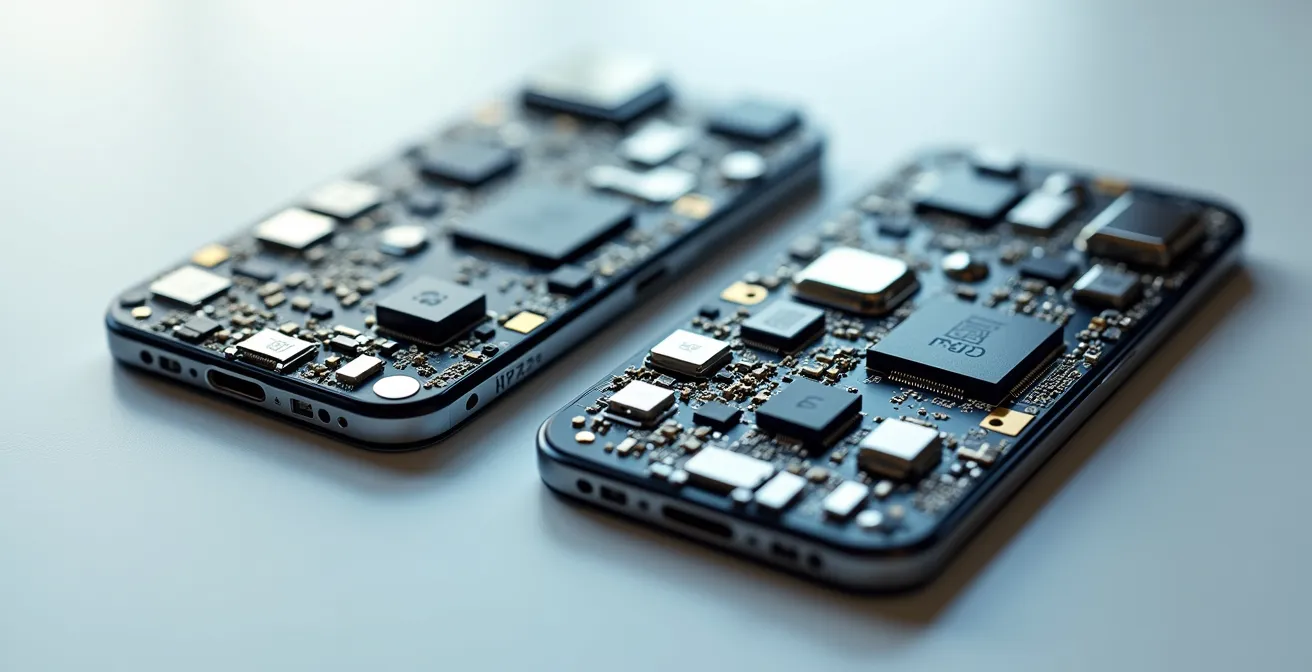
As the image above illustrates conceptually, the internal components, specifically the RF modules and antenna arrays, can differ significantly between models. To protect your investment, you must perform your own due diligence. The following steps outline a verification process to ensure the model you’re buying is the right one for your travel needs:
- Find your phone’s exact model number (e.g., A3106 for the US iPhone 15 Pro Max) in the device settings.
- Cross-reference this model number with the manufacturer’s official technical specification sheet for that specific regional variant.
- Check the phone’s supported bands list against your primary destinations’ critical bands, focusing on n78 and n28 for Europe and Asia.
- Search online forums like Reddit (e.g., r/tmobile or specific phone model subreddits) for real-world user reports on compatibility in your destination countries.
- Verify that the phone also supports the necessary VoLTE (Voice over LTE) bands for your destination, as 2G and 3G network shutdowns mean voice calls now rely on 4G/5G infrastructure.
External vs. Integrated Modem: Why Older 5G Phones Overheat So Fast?
If you’ve ever used an early-generation 5G phone, you’ve likely experienced a significant “connectivity tax”: excessive heat and rapid battery drain. This issue is not a simple flaw but a direct consequence of their internal architecture. The first wave of 5G phones used an external 5G modem, a separate chip that worked alongside the main System-on-a-Chip (SoC). This design was necessary because most 5G networks at the time were Non-Standalone (NSA).
NSA networks require the phone to maintain a constant connection to the 4G LTE network for control signals while simultaneously connecting to the 5G network for data. As the Ericsson Technology Review explains, this means the modem is “effectively doing double the work.” This dual-connectivity state generates significant heat and consumes a substantial amount of power, especially when roaming and constantly searching for compatible networks.
Most current 5G networks are NSA, requiring the modem to maintain simultaneous connections to both 4G and 5G networks, effectively doing double the work.
– Ericsson Technology Review, Roaming in the 5G System whitepaper
This inefficiency is compounded on networks using Dynamic Spectrum Sharing (DSS), where 4G and 5G signals share the same frequency. Research shows this can lead to a 25% and 15% performance impact on 4G LTE and 5G NR respectively, forcing the modem to work even harder. In contrast, modern smartphones feature an integrated 5G modem built directly into the main SoC. This integration allows for far more efficient power management. For example, Samsung’s DSS solution uses an intelligent scheduler that makes resource allocation decisions in milliseconds, reducing unnecessary dual-connectivity and mitigating the heat and battery issues that plagued older devices. For a traveler, this means a modern phone with an integrated modem will not only perform better but also last significantly longer on a single charge when roaming.
How to Check If Your Unlocked 5G Phone Is Whitelisted by US Carriers?
Bringing an unlocked phone from Europe or Asia to the United States presents a unique challenge: carrier whitelists. Unlike most of the world where an unlocked phone with the right bands will simply work, some US carriers—notably AT&T—maintain a strict list of approved devices. If your phone’s unique identifier (IMEI) is not on this whitelist, it may be blocked from their network, or at least from essential services like VoLTE, even if it has perfect band support.
This policy creates a frustrating paradox. A traveler might purchase a top-tier Android phone in Europe that fully supports all US 5G and 4G bands, only to find it cannot make or receive calls upon arrival because it’s not on the carrier’s certified list. The reverse is also true; a case study on North American phones shows that US models optimized for mmWave bands (n260, n261) often lack the critical n78 band needed for high-speed 5G in Europe and Asia. This hardware limitation means the phone defaults to slower 4G, demonstrating that compatibility is a two-way street.
While Verizon and T-Mobile are generally more lenient with Bring-Your-Own-Device (BYOD) policies, AT&T’s whitelist remains a significant hurdle. Verifying your phone’s status before you travel is essential to avoid being cut off. This requires a multi-step investigation, as there is no single universal tool.
Action Plan: Verifying US Carrier Whitelist Status
- Check FCC ID Filings: Use the phone’s FCC ID (usually found in the settings or on the device itself) to search the official FCC database. This will show which US bands the device has been certified for.
- Consult Community Forums: Search user-reported success stories on Reddit forums like /r/tmobile or /r/ATT. Other users with your exact international model may have already documented their experiences.
- Cross-Reference VoLTE Bands: Use a specifications database like GSMArena to check your phone’s supported VoLTE bands and compare them against the requirements of the US carrier you plan to use.
- Perform a Live Test: If possible, the most reliable method is to test your phone with a prepaid SIM from the US carrier before committing to a plan.
- Consult the Official List (AT&T): For AT&T specifically, your final check should be their official PDF document listing all certified unlocked models. If your phone is not on this list, assume it will not work properly.
Dual 5G Standby: Can You Have 5G Active on Both SIMs Simultaneously?
For international travelers juggling a home SIM and a local travel SIM, the concept of dual-SIM functionality is a lifesaver. However, the way modern phones handle two 5G connections is often misunderstood. The overwhelming majority of dual-SIM phones on the market use a technology called Dual SIM Dual Standby (DSDS). This means that while both SIMs are on “standby” and can receive calls and texts, only one can be actively engaged in a data session at a time.
With DSDS, you can configure your phone to use, for example, your travel eSIM for 5G data while keeping your home SIM active for incoming calls on 4G. If a call comes in on your home number, your data session on the travel SIM will be paused. You cannot have two active, simultaneous 5G data connections. This is a hardware design choice made to conserve power and manage heat, as powering two 5G radios at once would be a significant drain on the battery.
The alternative technology, Dual SIM Dual Active (DSDA), does allow for two simultaneously active radios, enabling true parallel 5G+5G data or a call on one line while using data on the other. However, due to its high cost, complexity, and battery impact, DSDA is extremely rare and found in only a handful of premium, niche devices. For nearly all travelers, the device they hold is a DSDS phone.

This distinction is crucial for setting expectations. You can have a 5G+5G or 5G+4G setup, but it will operate in a switched, not simultaneous, manner. The following table clarifies the key differences.
| Feature | DSDS (Dual SIM Standby) | DSDA (Dual SIM Active) |
|---|---|---|
| Simultaneous Data | Only one SIM active at a time | Both SIMs can be active |
| 5G Support | 5G+4G or 5G+5G (switched) | True simultaneous 5G+5G |
| Battery Impact | Moderate (one active radio) | High (two active radios) |
| Availability | Most dual-SIM phones | Very rare, premium models only |
| Use Case | Home SIM standby + local data | Active use of both lines |
How to Verify If Your Locked Phone Will Accept a Travel eSIM?
The rise of eSIM technology has simplified travel for many, but it is not a magic bullet that bypasses carrier restrictions. The single most important factor determining whether you can use a travel eSIM is your phone’s carrier lock status. If a phone is “locked” to a specific carrier, its hardware is programmed to reject any SIM—physical or electronic—from another network. A locked phone will not accept a travel eSIM, period. An “unlocked” phone, conversely, is free to use any compatible SIM from any carrier.
Before you even begin shopping for travel eSIM plans, you must first verify that your phone is unlocked. This is a simple check that can save you from purchasing a useless data plan. The process varies slightly between iPhone and Android devices, but the principle is the same.
- For iPhone: The easiest way is to navigate to Settings > General > About. Scroll down to the “Carrier Lock” section. If it says “No SIM restrictions,” your phone is unlocked and ready for a travel eSIM. If it says anything else, it is locked.
- For Android: The path varies by manufacturer, but it is typically found under Settings > Network & Internet > SIMs or a similar network status menu. If you can’t find it, inserting a SIM from a different carrier is a reliable physical test. If the phone gets a signal, it’s unlocked.
If you discover your phone is locked, all is not lost. Many carriers, especially in the US, offer temporary unlock programs for customers in good standing who are traveling internationally. For example, major US carriers typically require the account to be active for 60+ days and the device to be fully paid off. They can then grant a temporary unlock for a set period, such as 30 days. This allows you to use a local SIM or eSIM while abroad, and the phone automatically re-locks upon your return. Contacting your carrier to inquire about their specific “temporary international unlock” policy should be your first step if you find your device is locked.
“5G Auto” or “5G On”: Which Setting Actually Saves Power on iPhone?
For iPhone users, the Cellular Data Options menu presents a seemingly simple choice: “5G On” or “5G Auto.” From a power consumption perspective, the answer is unequivocal: “5G Auto” is the superior setting for saving power, especially while traveling. This mode is an intelligent battery-saving feature that only uses 5G when it provides a noticeably better performance than LTE. If the 5G signal is weak or offers no real-world speed benefit, the phone will remain on the more power-efficient LTE network, avoiding a significant source of battery drain.
Conversely, the “5G On” setting forces the phone to use the 5G network whenever it is available, regardless of signal quality or performance. This can be a major “connectivity tax” on your battery. When the 5G signal is weak or inconsistent—a common scenario when roaming or moving between coverage areas—the phone’s modem will constantly hunt for and attempt to reconnect to the 5G network. This continuous searching process is extremely power-intensive. Real-world testing confirms this, showing that forcing “5G On” in areas with mediocre coverage can reduce battery life by up to 30% compared to using the “5G Auto” mode.
For any international traveler, battery life is a precious resource. The default setting should always be “5G Auto” (or its Android equivalent, often called “Adaptive Network”). This ensures you get the benefits of 5G speed when it truly matters without paying the steep battery penalty of constant network hunting. The “5G On” setting should only be used strategically, such as when you are stationary in an area with a confirmed strong 5G signal and need maximum speed for a large download or tethering.
To maximize your device’s endurance while abroad, consider these optimal settings:
- Default Setting for Travel: Always enable “5G Auto” (iPhone) or “Adaptive Network” (Android). This provides the best balance of performance and battery life.
- High-Speed Tasks: Temporarily switch to “5G On” only when you need maximum throughput for a specific task and know you have a strong signal.
- Extreme Battery Saving: In remote or rural areas with known poor 5G coverage, switch to “LTE only” mode to prevent the phone from wasting any power searching for a non-existent 5G signal.
- Monitor Data Usage: Be aware that 5G can consume data allowances much faster than 4G. Keep an eye on your usage, especially on limited travel plans.
Key Takeaways
- For seamless roaming in Europe and Asia, your phone must support the n78 (3.5 GHz) and n28 (700 MHz) bands.
- Always verify a phone’s specific model number against its official band specifications; “Global Version” is a meaningless marketing term.
- Use the “5G Auto” setting (or “Adaptive Network” on Android) to prevent significant battery drain caused by the phone constantly hunting for a 5G signal.
How to Manage Banking and Security on Your Phone While Traveling in High-Risk Areas?
While ensuring connectivity is paramount, it is worthless without also guaranteeing the security of your digital life. When you roam, your device connects through a local partner carrier’s network infrastructure. This means you are placing a degree of trust in hardware and systems outside your home carrier’s direct control. In high-risk areas, this can expose your sensitive banking and personal data to potential interception or compromise. Achieving digital sovereignty—maintaining control over your own data—requires a proactive security posture.
A key strategy recommended by security experts is to create an “air-gap” between your sensitive applications and potentially insecure networks. As one researcher noted, using a “comms-only” secondary device creates a physical separation. However, a similar digital separation can be achieved on a single device. Technologies like Samsung’s Secure Folder, which is protected by their Knox security platform, create an encrypted, isolated container on the phone. By installing banking and financial apps exclusively within this secure space, they are sandboxed from the main phone environment and any other apps you might download for local travel, which could pose a security risk. This container requires separate authentication and keeps your most critical data protected even if the main device is compromised.
Roaming involves trusting a local partner carrier’s network infrastructure. A ‘comms-only’ secondary device for daily navigation creates an air-gap between sensitive data and potentially insecure networks.
– Security researcher recommendation, International Mobile Security Best Practices
Beyond on-device sandboxing, a comprehensive pre-travel checklist is essential for mitigating risks before you even depart. These steps help create layers of security that protect you from common travel-related threats like theft, phishing, and banking access issues.
- Inform Financial Institutions: Notify all your banks and credit card companies of your exact travel dates and destinations to prevent your accounts from being frozen due to fraud alerts.
- Set Up Robust 2FA: Prioritize app-based two-factor authentication (e.g., Google Authenticator, Authy) over SMS-based 2FA, as you may not have reliable access to your home phone number.
- Enable Remote Wipe: Ensure that remote wipe capabilities (like Find My iPhone or Google Find My Device) are enabled on all your devices, allowing you to erase your data if a device is lost or stolen.
- Download Offline Resources: Download offline maps for your entire route (using Google Maps or Maps.me) to reduce your reliance on public Wi-Fi or cellular data for navigation.
- Backup Everything: Backup all important travel documents, photos, and files to an encrypted cloud storage service that can be accessed offline if needed.
To ensure your next smartphone is a true global companion, not a regional liability, apply this analytical framework before your purchase. Assess your device based on its strategic spectrum support and internal architecture, not just its marketing.