The pursuit of “better” audio quality has convinced many that a high-resolution streaming subscription is the ultimate upgrade, but for most listeners over 40, this is a costly mistake.
- Your existing Bluetooth headphones are the biggest quality bottleneck, making lossless streams audibly identical to high-quality MP3s.
- Age-related hearing limits mean the extra data in Hi-Res files exists in frequencies you physically cannot perceive.
Recommendation: Instead of paying extra for lossless streaming, invest in a quality pair of ANC headphones or an external DAC. These provide a far more noticeable and valuable improvement to your daily listening experience.
As a music lover, you’ve seen the promises. Streaming services like Tidal and Qobuz offer “Hi-Res Audio” or “lossless” tiers, tempting you with the allure of hearing your favorite songs exactly as the artist intended. The common wisdom suggests this is the pinnacle of digital sound, a clear step up from the compressed files we’ve listened to for years. You’re told that to appreciate it, you just need to pay a bit more for the subscription and maybe upgrade your gear. You want the best experience, but a nagging question remains: at over 40, can you even hear the difference you’re paying for?
The truth is, the conversation around high-resolution audio is often focused on the wrong things. It’s a chase for theoretical perfection based on technical specifications rather than perceptible, real-world improvements. The key to unlocking better sound isn’t always about adding more data you can’t hear; it’s about identifying and eliminating the audio bottlenecks in your current setup. These weak links—from your wireless connection to the very environment you’re listening in—have a far greater impact on what you actually hear than the jump from a high-quality MP3 to a lossless FLAC file.
This guide takes a different approach. As an audio retailer who values honesty over upselling, I want to steer you away from the marketing hype and toward what truly matters. We’ll break down where your money is best spent to achieve a genuinely noticeable upgrade in your listening enjoyment. We will explore the real-world limitations of human hearing and consumer hardware to determine if that expensive subscription is a sound investment or an unnecessary expense.
This article will guide you through the critical components of your audio chain, from the streaming service to your ears. By understanding the real bottlenecks, you can make informed decisions that deliver tangible results, ensuring every dollar you spend on your passion for music truly enhances your experience.
Summary: Is High-Resolution Audio a Worthwhile Investment?
- Why Paying for Lossless Streaming Is Useless with Standard Bluetooth Headphones?
- How to Connect an External DAC to Your Phone to Unlock True Hi-Fi?
- FLAC or MP3 320kbps: Can You Actually Hear the Difference in a Noisy Commute?
- The Marketing Trick Behind “Hi-Res Certified” Stickers on Budget Earbuds
- How to Bypass Android’s Audio Resampling to Get Bit-Perfect Playback?
- AptX Low Latency or AAC: Which Codec Is Essential for Android Gamers?
- Why Your Video Previews Lag Even with a Powerful Graphics Card?
- How to Use ANC Headphones to Reduce Cognitive Load in Open-Plan Offices?
Why Paying for Lossless Streaming Is Useless with Standard Bluetooth Headphones?
The single biggest misconception in the push for Hi-Res Audio is that a better source file automatically equals better sound. Imagine paying for premium gasoline for a car that can’t use it. This is precisely what happens when you stream lossless audio to standard Bluetooth headphones. The weak link in this chain isn’t the music file; it’s the Bluetooth connection itself. Lossless formats like FLAC contain a massive amount of data, but Bluetooth technology lacks the bandwidth to transmit it all wirelessly. To send the signal, your phone must re-compress the audio on the fly, effectively undoing the benefit of the high-quality source file.
This isn’t a minor detail—it’s the fundamental bottleneck. You might be paying an extra fee every month, as a recent pricing analysis shows that dedicated hi-res tiers can be more expensive than standard plans. Yet, by the time the music reaches your ears, it has been squeezed down to a quality level comparable to a high-bitrate MP3. All Bluetooth codecs, even the most advanced ones like Sony’s LDAC, are “lossy.” They discard audio information to fit the signal through the limited wireless pipeline. While some are significantly better than others, none can deliver a truly bit-for-bit lossless signal.
The table below illustrates this hierarchy. Even the best-in-class LDAC codec, while impressive, still operates via compression and falls short of true lossless transmission. For the vast majority of Bluetooth headphones using standard codecs like SBC or AAC, paying for a lossless stream is simply pouring water into a leaky bucket. The potential quality is lost before it ever has a chance to reach the drivers in your headphones.
| Codec | Max Bitrate | Quality Level | Lossless Support |
|---|---|---|---|
| SBC | 328 kbps | Basic | No |
| AAC/aptX | 320-352 kbps | Better | No |
| aptX HD | 576 kbps | High | No |
| LDAC | 990 kbps | Best (still compressed) | No |
How to Connect an External DAC to Your Phone to Unlock True Hi-Fi?
If you’re serious about bypassing the Bluetooth bottleneck and tapping into true high-fidelity audio from your phone, the answer lies in a wired connection and an external Digital-to-Analog Converter (DAC). The DAC built into your phone is a jack-of-all-trades, designed for efficiency and cost-effectiveness, not for ultimate audio performance. An external DAC is a specialist device dedicated to one job: converting the digital 1s and 0s of your music file into the analog sound wave your headphones can play, and doing so with far greater precision and power.
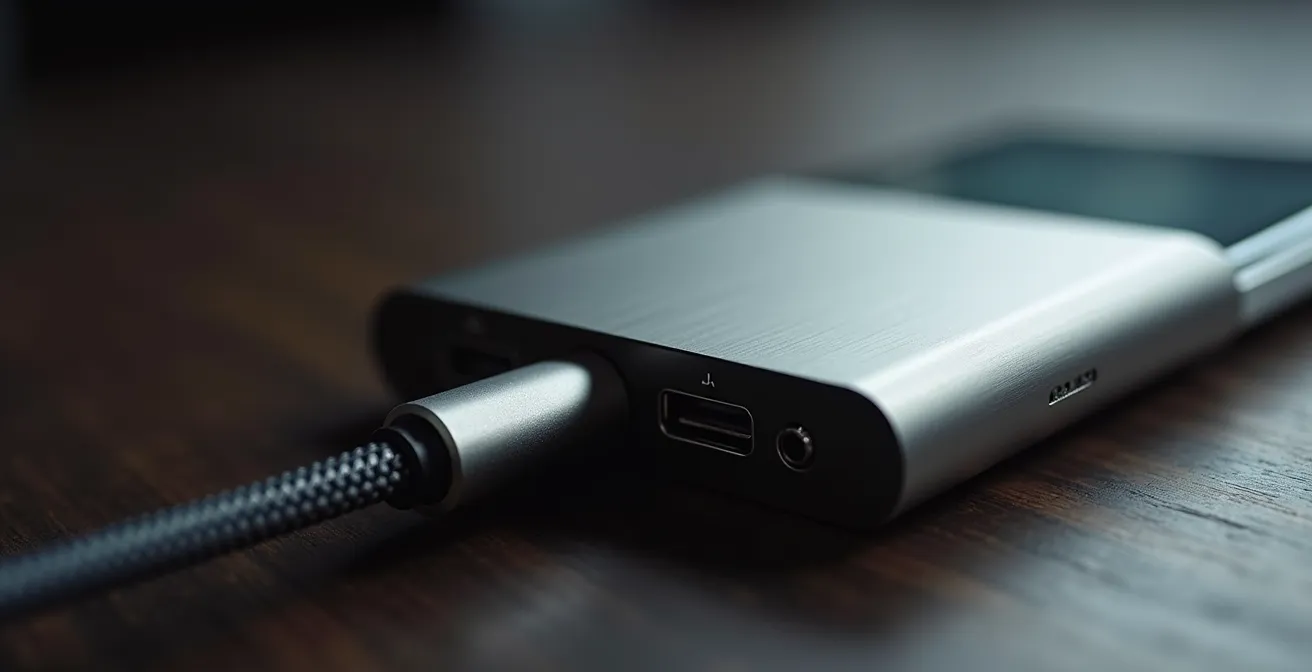
Connecting one is surprisingly simple. For most modern smartphones, it involves a small “dongle” or a larger portable DAC that plugs into your phone’s USB-C or Lightning port. You then plug your wired headphones directly into the DAC. This setup completely bypasses your phone’s internal audio circuitry and the limitations of Bluetooth, creating a direct, high-integrity path from the digital file to your ears. This is the first and most crucial step toward achieving a perceptible difference in audio quality. With a DAC, you can finally take advantage of lossless files, hearing more detail, a wider soundstage, and better dynamic range.
This small device, often no bigger than a thumb drive, is arguably the most impactful upgrade a mobile listener can make. It elevates the performance of any good pair of wired headphones, revealing a level of clarity and depth your phone alone simply cannot produce. The image below shows a typical setup, highlighting the direct link between the phone, the dedicated DAC, and high-quality headphones.
However, before investing, it’s crucial to assess if a DAC is the right move for your specific situation. Not everyone needs one, and the benefits are only realized if the rest of your gear and your listening habits can take advantage of it. The following checklist helps you make a value-first decision.
Your DAC Pre-Purchase Decision Checklist
- Assess current headphones: Are they wired-capable and of a quality (e.g., over $200) that can resolve the extra detail a DAC provides?
- Evaluate your listening environment: Will you be in a quiet, dedicated space where subtle improvements are audible, or in a noisy environment that masks them?
- Check phone capabilities: Verify your phone’s USB-C or Lightning port supports audio output to an external DAC (most modern phones do).
- Consider portability needs: Do you need a tiny, on-the-go “dongle” DAC or can you accommodate a slightly larger, more powerful unit for home or office use?
- Budget reality check: Start with an entry-level DAC ($50-$100) where gains are most significant, as the law of diminishing returns applies heavily to more expensive models.
FLAC or MP3 320kbps: Can You Actually Hear the Difference in a Noisy Commute?
This is the million-dollar question for any aspiring audiophile. We’ve established that you need a wired, DAC-equipped setup to even have a chance at hearing the difference. But even with the right gear, two other factors come into play: your hearing and your environment. The “extra” information in a lossless FLAC file compared to a high-quality 320kbps MP3 primarily exists in the highest frequencies and the most subtle, low-level details. Unfortunately, these are the first two things to be compromised in the real world.
First, let’s talk about hearing. As we age, our ability to perceive high frequencies naturally declines. This isn’t a defect; it’s a normal part of life. While perfect human hearing extends to 20,000 Hz (20kHz), hearing science research confirms that most adults over 35 struggle to hear frequencies above 17kHz. Much of the ultrasonic information captured in Hi-Res Audio files (which can extend to 40kHz and beyond) is simply inaudible to the majority of the adult population. You’re paying for data your ears physically cannot process.
Second is the listening environment. The low-level details, delicate reverb tails, and subtle ambient cues that differentiate a FLAC from an MP3 are easily masked by background noise. On a noisy commute—the hum of a train, the drone of a bus engine, the chatter of a café—your brain is already filtering out a huge amount of ambient sound. This “auditory masking” effectively erases the very details that Hi-Res Audio promises to deliver. In such environments, a 320kbps MP3 and a lossless FLAC file can sound functionally identical, because the noise floor is too high to allow the subtle differences to be heard.
Case Study: The NPR Audio Quality Blind Test
To put this to the test, National Public Radio (NPR) conducted a fascinating online experiment. Listeners, including many self-professed audiophiles, were asked to distinguish between uncompressed audio files and high-quality 320kbps MP3s across various music genres. The results were telling. The vast majority of participants were unable to reliably identify the higher-quality file, with their success rate barely rising above random chance. As a recap of the test revealed, on typical consumer equipment, the perceptible difference between a high-bitrate MP3 and a lossless track is minimal to non-existent for most people.
The Marketing Trick Behind “Hi-Res Certified” Stickers on Budget Earbuds
As you shop for headphones, you’ll inevitably encounter a small, gold “Hi-Res Audio” logo on the packaging of many products, even on surprisingly affordable earbuds. This sticker feels like a seal of quality, a promise that the product is capable of delivering superior sound. However, as an informed consumer, you need to understand what this certification actually means—and more importantly, what it doesn’t. It’s less a guarantee of overall audio quality and more of a marketing tool based on a single technical specification.
So, what does it take for a manufacturer to put that sticker on their product? The criteria are surprisingly narrow. The product’s drivers must be capable of reproducing frequencies up to 40kHz, and the company must pay a licensing fee to the Japan Audio Society, which owns the trademark. That’s it. The certification says nothing about the quality of the bass, the clarity of the midrange, the soundstage, the imaging, or the overall tuning of the headphone. A headphone can have terrible, muddy bass and harsh treble, but as long as its driver can technically hit that 40kHz mark (a frequency well beyond human hearing), it can be “Hi-Res Certified.”
This is a classic marketing trick that leverages a technical specification to imply a level of quality that isn’t guaranteed. As the experts from a respected audio company point out, the label is not the quality benchmark many assume it to be.
The Hi-Res Audio certification simply means a driver capable of reproducing 40kHz frequencies and a licensing fee paid to the Japan Audio Society – it’s not a guarantee of overall sound quality.
– Totem Acoustic Engineering Team, Understanding High-Resolution Audio Guide
Instead of being swayed by this sticker, a value-first audiophile should look for real indicators of quality. This includes seeking out frequency response graphs from trusted independent reviewers (not the manufacturer), researching the materials used for the drivers (e.g., beryllium, planar magnetic), and reading reviews that discuss subjective qualities like timbre and soundstage. A product’s reputation within professional audio circles is a far better indicator of quality than a licensed logo.
How to Bypass Android’s Audio Resampling to Get Bit-Perfect Playback?
Even with a lossless file and a high-quality external DAC, there’s one final, often-overlooked audio bottleneck on mobile devices: the operating system itself. By default, the Android OS processes all audio through a mixer that resamples it to a standard system rate, typically 48kHz. This means that if you’re playing a 44.1kHz file (CD quality) or a 96kHz file (Hi-Res), Android will alter it before it even reaches your DAC. This resampling process can introduce subtle digital errors known as jitter, degrading the signal’s purity. For the purist, this is another obstacle between them and the original recording.
This is where the concept of bit-perfect playback comes in. It means ensuring that the digital audio data from the source file is sent to the DAC completely untouched, bit for bit. The solution is to use a specialized music player app that has its own audio driver designed to bypass Android’s native audio system. Apps like USB Audio Player PRO (UAPP), Neutron, or HiBy Music can take exclusive control of the USB port, sending the audio stream directly to your external DAC in its original sample rate. This ensures the DAC receives the purest possible signal, allowing it to perform its conversion task optimally.
The abstract visualization below conceptualizes this process: a clean, direct flow of data from the source to the output, bypassing any intermediary processing that could alter the signal. This is the goal of a bit-perfect setup.

Achieving bit-perfect playback used to require expensive, dedicated Digital Audio Players (DAPs). While DAPs still offer superior performance due to their specialized hardware, these apps provide a remarkably effective and affordable solution for smartphone users. A price analysis reveals that an app like UAPP costs around $7.99, offering a gateway to true bit-perfect playback, whereas dedicated DAPs start at over $200. For anyone who has already invested in a good DAC and headphones, spending a few extra dollars on one of these apps is a logical and high-value final step to complete their mobile hi-fi system.
AptX Low Latency or AAC: Which Codec Is Essential for Android Gamers?
While much of our discussion has focused on music, the choice of Bluetooth codec has critical implications for other activities, especially gaming and video watching. Here, the most important metric isn’t maximum bitrate, but latency—the delay between the action on screen and the corresponding sound in your headphones. High latency can make games unplayable and create a distracting lip-sync issue when watching videos. For Android users, the codec landscape for low latency can be confusing.
AAC (Advanced Audio Coding) is the default high-quality codec for Apple devices and performs exceptionally well on iPhones due to tight hardware and software integration. On Android, however, its performance can be inconsistent across different devices, sometimes resulting in higher latency. The aptX family of codecs was developed to provide a more reliable, high-quality wireless experience on Android. For gamers, the standout used to be aptX Low Latency (LL). As its name suggests, it was designed specifically to reduce delay to an imperceptible ~40 milliseconds, making it perfect for fast-paced action.
However, aptX LL is becoming increasingly rare. Its successor, aptX Adaptive, is the new standard. This clever codec dynamically adjusts its bitrate and latency based on the content. When you’re listening to music, it prioritizes quality. When you start a game or video, it automatically shifts to a low-latency mode (typically 50-80ms), providing excellent synchronization. While not as lightning-fast as the dedicated aptX LL, it is a massive improvement over the standard SBC codec and offers a great all-around experience for mixed media use on Android. For any Android gamer using wireless headphones, ensuring both the phone and the headphones support aptX Adaptive is essential for a frustration-free experience.
The following table clearly shows how different codecs stack up in terms of latency and their suitability for video content. It highlights why codecs like aptX LL and Adaptive are in a different league for time-sensitive audio.
| Codec | Typical Latency | Video Sync Quality | Device Support |
|---|---|---|---|
| SBC | 150-250ms | Noticeable lag | Universal |
| AAC | 120-150ms | Slight lag possible | iOS optimized |
| aptX LL | <40ms | Perfect sync | Limited Android |
| aptX Adaptive | 50-80ms | Excellent sync | Growing support |
Why Your Hi-Res Stream Stutters (and It’s Not Your Network)
You’ve set up your system perfectly: you have a fast Wi-Fi connection, a lossless streaming subscription, and a great DAC. Yet, you’re still experiencing frustrating skips, stutters, or lag, especially with very high-resolution files (like 24-bit/192kHz or DSD). It’s easy to blame your internet connection, but often the culprit lies within your playback device itself: your smartphone. A smartphone is a powerful pocket computer, but it is not a dedicated audio device. It is constantly juggling dozens of background processes—checking emails, updating apps, managing notifications, and maintaining network connections.
Streaming and decoding Hi-Res Audio is a CPU-intensive task. When your phone’s processor is simultaneously being tasked by other apps, it can struggle to allocate enough resources to the music player, causing the audio buffer to run empty. This results in a stutter or a brief pause in playback. This issue is less about network speed and more about processing headroom. A powerful graphics card is irrelevant here; it’s the CPU and RAM that are under strain. You can have a gigabit internet connection, but if your phone’s CPU is busy, your music will still lag.
This is where dedicated Digital Audio Players (DAPs) have a distinct advantage. Their entire architecture—from the processor to the operating system—is optimized for a single purpose: flawless audio playback. They don’t run unnecessary background services, ensuring the CPU is fully available for decoding music.
Case Study: Dedicated Audio Players vs. Smartphones
Performance tests consistently show this advantage. For instance, an entry-level DAP like the Surfans F20 can provide consistent, stutter-free playback of demanding hi-res files, while even flagship smartphones can struggle under similar conditions. This is because the DAP’s dedicated audio processing architecture is built to maintain an uninterrupted data stream, something a general-purpose device like a phone cannot guarantee. Even budget DAPs in the $100-200 range often outperform top-tier smartphones in maintaining smooth playback of the most demanding audio formats.
For smartphone users, there are steps to mitigate this. You can try increasing the buffer size in your music app’s settings, closing all other background apps, and disabling any battery optimization features for your streaming app, as these can throttle CPU performance. However, for those seeking the ultimate in stable, high-resolution playback, the processing limitations of a multi-tasking smartphone remain a significant bottleneck.
Key Takeaways
- Bluetooth is the primary bottleneck; lossless streaming is ineffective without a wired connection and a DAC.
- For listeners over 40, the audible difference between a 320kbps MP3 and a FLAC file is often negligible due to natural hearing changes.
- A tangible investment like ANC headphones or an external DAC offers a much greater return in sound quality than a recurring Hi-Res subscription fee.
How to Use ANC Headphones to Reduce Cognitive Load in Open-Plan Offices?
We’ve spent this guide deconstructing the “additive” benefits of Hi-Res Audio—the act of adding more data to a file. Now, let’s consider a far more powerful and perceptible upgrade: the “subtractive” benefit of removing unwanted noise. For most people, especially those working in busy open-plan offices or commuting, the single greatest degradation to audio quality isn’t data compression; it’s the environment itself. This is where Active Noise Cancellation (ANC) headphones become the most valuable tool in an audiophile’s arsenal.
Cognitive load refers to the total amount of mental effort being used in your working memory. In a noisy office, your brain is constantly working to filter out background conversations, keyboard clicks, and the hum of the air conditioning. This effort depletes your mental resources, making it harder to focus on complex tasks. ANC headphones work by creating an “anti-noise” wave that cancels out low-frequency ambient sounds. By creating a bubble of silence, they dramatically reduce this cognitive load, freeing up mental bandwidth and allowing for deeper concentration. This benefit exists even without any music playing.
When you do play music, the effect is profound. By lowering the noise floor, ANC allows you to hear more of the music at a lower, safer volume. The subtle details that were previously masked by ambient noise—the decay of a cymbal, the texture of a bassline, the space between notes—suddenly become audible. In this context, a good pair of ANC headphones can reveal more detail in a standard Spotify stream than a pair of non-isolating, high-end audiophile headphones playing a lossless file in the same noisy room.
This is the essence of the “subtractive vs. additive” argument. A comparative analysis demonstrates that a one-time investment in quality ANC headphones (around $300) that provide 20-30dB of noise reduction offers a more tangible and consistent audio upgrade than the recurring monthly cost of a hi-res streaming tier whose benefits are often imperceptible. As audio experts often note, removing what you don’t want to hear is often more effective than adding data you can’t hear.
Before you upgrade your streaming subscription, take a moment to evaluate your current listening habits and hardware. The most rewarding path to better audio isn’t always the most expensive or technically complex one. It’s about making smart, targeted investments where they count the most. The next logical step is to identify your primary audio bottleneck and invest there for a truly perceptible and satisfying improvement to your daily listening experience.