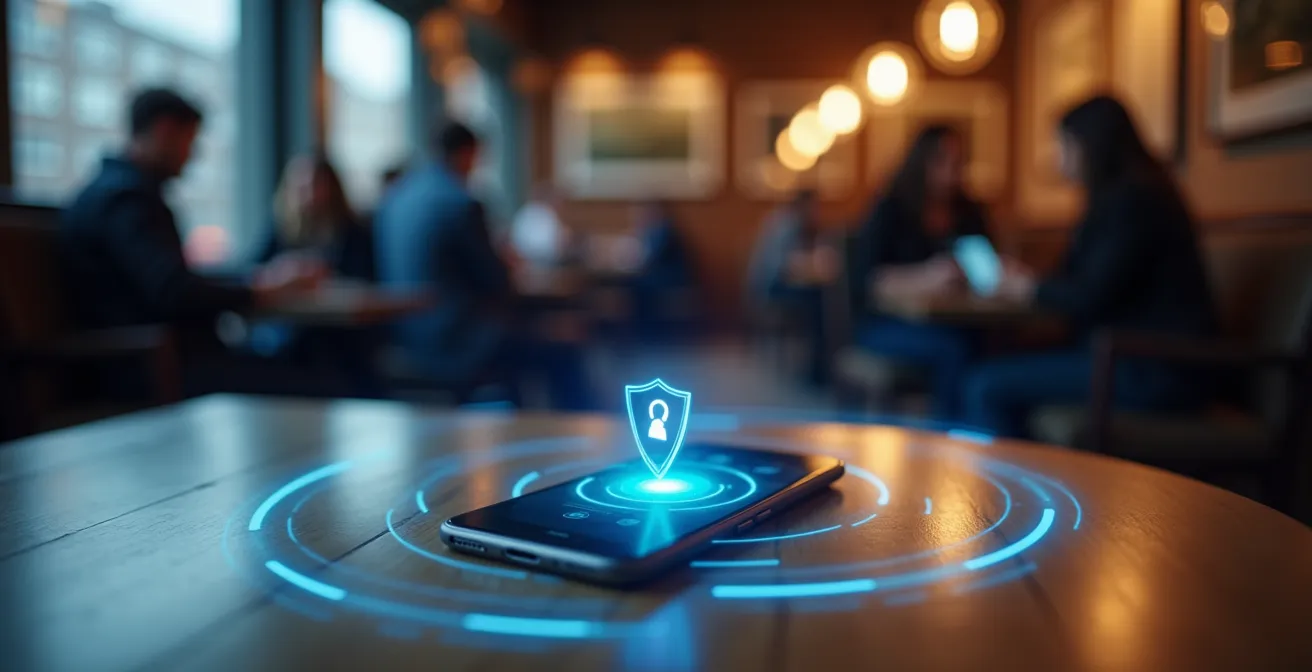
True protection from Bluesnarfing isn’t about just turning Bluetooth off; it’s about actively managing your device’s invisible “digital exhaust.”
- Your Bluetooth signal is constantly being scanned, not just by hackers but by retail trackers capitalizing on your device’s discoverability.
- Weak links, like cheap IoT gadgets with default ‘0000’ PINs, can serve as a gateway to compromise your entire personal network.
Recommendation: Immediately shrink your attack surface by performing a rigorous audit of your trusted device list and revoking unnecessary Bluetooth permissions from your apps.
You’re on a crowded train, scrolling through your phone. Your headphones are connected, your smartwatch is tracking your steps, and your Bluetooth is on. In this invisible web of signals, a threat known as Bluesnarfing thrives. Unlike its more benign cousin, Bluejacking (which just sends unsolicited messages), Bluesnarfing is a full-blown data theft attack. An attacker within range—typically around 10 meters—can exploit a vulnerable Bluetooth connection to access and steal sensitive information from your device. This can include contacts, calendars, emails, and photos, all without your knowledge.
The common advice is simple: “Turn off Bluetooth when not in use.” While effective, this is a blunt instrument in a world of interconnected gadgets. For the privacy-conscious commuter, this isn’t enough. A more sophisticated approach is needed, one that treats your Personal Area Network (PAN) not as a convenience, but as a security perimeter that requires active management. The real vulnerability lies not just in the signal itself, but in your “digital exhaust”—the trail of permissions, trusted-but-unsecured devices, and forgotten connections you broadcast every day.
This guide moves beyond the basics. We will dissect the methods used by both commercial trackers and malicious actors. We’ll explore the technical differences in Bluetooth protocols, the hidden dangers in your smart home, and the critical importance of auditing permissions. By understanding how to harden your personal perimeter, you can transform your device from a vulnerable target into a secure node in your digital life.
To navigate this complex topic, we have broken down the essential strategies and concepts into distinct sections. This structure will guide you from understanding the commercial incentives for tracking to implementing advanced security hygiene for all your connected devices.
Summary: A Hacker’s Guide to Bluesnarfing Defense
- Why Retail Trackers Love It When You Leave Bluetooth On in the Mall?
- How to Audit Your Trusted Device List to Remove Vulnerable Connections?
- Bluetooth 4.2 or 5.0: Which Protocol Offers Better Encryption Against Eavesdropping?
- The Mistake of Keeping Default “0000” PINs on IoT Gadgets
- How to Restrict Which Apps Can Access Your Bluetooth Scanning Ability?
- Software Mute vs. Hardware Switch: Which Can You Trust for Private Conversations?
- Why That $5 Smart Plug Could Be the Weakest Link in Your Home Security?
- Password Manager vs. Notebook: Which Is Actually Safer for Banking Logins?
Why Retail Trackers Love It When You Leave Bluetooth On in the Mall?
Before an attacker can exploit your Bluetooth, they have to find it. But hackers aren’t the only ones searching for your signal. A far more pervasive and well-funded industry is built entirely on tracking your device’s “digital exhaust”: retail analytics. When you walk through a mall with Bluetooth enabled, your phone is constantly broadcasting a unique identifier. Tiny, low-cost sensors called beacons, placed at store entrances and throughout aisles, pick up this signal. They don’t need to pair with your device; they just need to “hear” its public broadcast to log your presence, movements, and dwell time.
This isn’t a theoretical practice; it’s a booming industry. The Bluetooth Trackers Market was valued at USD 1,568 Million in 2023 and is projected to grow significantly. This economic incentive means that public spaces are saturated with these listeners. They build a profile of your shopping habits: which stores you visit, how long you stay, and even which products you linger near. This data is then used for hyper-targeted advertising and store layout optimization. While not as overtly malicious as Bluesnarfing, this mass-scale tracking normalizes the idea of your device being constantly monitored, creating a noisy environment where a real threat can more easily hide.
Understanding this commercial surveillance is the first step in hardening your perimeter. Your Bluetooth signal is a valuable piece of data. If you are not actively using it for a trusted connection (like headphones or a smartwatch), making your device undiscoverable or turning Bluetooth off is the only way to opt-out of this silent data collection. Being aware of this constant, low-level scanning helps reframe the threat: it’s not a question of *if* someone is looking for your signal, but *who* they are and what their intentions are.
How to Audit Your Trusted Device List to Remove Vulnerable Connections?
Your device’s list of “trusted” or “paired” devices is the front door to your personal network. Over time, this list can become a collection of old headphones, rental car infotainment systems, and forgotten gadgets. Each of these entries represents a potential vulnerability. This concept of trust decay—where a once-secure connection becomes a liability—is a key principle in attack surface management. An old device might not have received critical security patches, or a public system like a hotel speaker might be compromised. An attacker could potentially spoof the identity of one of these old, trusted devices to gain access to your phone.
This is not a new threat vector. In the early days of Bluetooth, security was significantly weaker, a fact demonstrated by a classic case of vulnerability.
Historical Precedent: The Early 2000s Bluesnarfing Vulnerability
As documented by security researchers at firms like Huntress who analyze historical cyber threats, early models from manufacturers like Nokia and Sony Ericsson had critical flaws. Attackers could connect to these phones and access data, including the entire address book and calendar, without any authentication from the user. This stark vulnerability forced immediate patches and led to fundamental improvements in the Bluetooth protocol, highlighting the critical need for ongoing security updates and auditing old connections that may rely on outdated standards.
This history lesson shows why regular audits are non-negotiable. You must regularly clean out this list, removing anything you no longer own, use, or trust. This process of attack surface hygiene reduces the number of potential entry points an attacker can target.

The image above illustrates the ecosystem of devices connected to a single phone. Each one is a potential entry point that must be managed. A disciplined audit is a simple yet powerful security measure. If you don’t recognize a device, or haven’t used it in months, remove it. This simple act closes a potential door before an attacker ever tries the handle.
Your Action Plan: Auditing Your Bluetooth Perimeter
- Identify Points of Contact: Open your Bluetooth settings and list every single device in your “My Devices” or “Paired Devices” list. Include everything, from headphones to your car.
- Collect Device Intelligence: For each device, inventory what you know. When did you last use it? Do you still own it? Does it receive software updates? (e.g., “Sony WH-1000XM4 – used daily, receives updates” vs. “JBL_Speaker_X – used once at a party two years ago”).
- Verify Against Trust Policy: Confront each device with simple criteria. Is it essential? Is it from a reputable manufacturer known for security updates? Is it a public device (like a hotel’s)? Your policy should be to remove anything that is non-essential or untrustworthy.
- Assess for Vulnerabilities: For remaining devices, quickly check for known issues. Does that old smart device still use a ‘0000’ PIN? Was that rental car’s system ever truly secure? Remove any device with a known or suspected weakness.
- Execute the Plan: Systematically go through your list and select “Forget This Device” for everything that failed your audit. Your goal is to leave only a small, manageable list of currently used and fully trusted devices.
Bluetooth 4.2 or 5.0: Which Protocol Offers Better Encryption Against Eavesdropping?
Not all Bluetooth is created equal. The security of your connection depends heavily on the protocol version supported by both your device and the accessory it’s paired with. The major leap in security came with Bluetooth 4.2, which introduced a feature called LE Secure Connections. This was a direct response to vulnerabilities in earlier versions where eavesdroppers could potentially intercept and crack the encryption keys used during pairing. As security analysts at Thyrasec point out, this was a game-changer.
Bluetooth 4.2 fixed this and introduced LE Secure Connections which leverage Elliptic-Curve Diffie-Hellman (ECDH) to help exchange the encryption key
– Thyrasec Security Analysis, Bluetooth Security Primer – Classic + BLE
This means that if both of your devices support at least Bluetooth 4.2, the process of them “shaking hands” is protected by strong, modern cryptography (Elliptic-Curve Diffie-Hellman or ECDH). This makes it exponentially more difficult for an attacker to perform a man-in-the-middle attack to intercept your data. Bluetooth 5.0 and later versions build upon this foundation, enhancing the process and adding other privacy features, such as periodic MAC address randomization to make tracking more difficult.
The key takeaway is that using modern hardware is a form of passive security. An older Bluetooth speaker that only supports version 4.0 may still function, but it creates a weak point in your personal security perimeter. When making purchasing decisions, always check for support for Bluetooth 5.0 or higher to ensure you are benefiting from the latest encryption standards. The following table breaks down the key security enhancements, based on a recent comparative analysis of the protocols.
| Security Feature | Bluetooth 4.2 | Bluetooth 5.0 |
|---|---|---|
| Encryption Method | LE Secure Connections with ECDH | Enhanced LE Secure Connections with ECDH |
| Key Exchange | Diffie-Hellman Key Exchange | Improved Diffie-Hellman with stronger entropy |
| Privacy Protection | Basic MAC address randomization | Periodic MAC address changes |
| Range | Up to 50 meters | Up to 240 meters |
| Data Rate | 1 Mbps | 2 Mbps |
While the increased range of Bluetooth 5.0 might seem like it expands the attack surface, its vastly superior encryption and privacy features create a much more hardened target, making it the clear choice for secure communications.
The Mistake of Keeping Default “0000” PINs on IoT Gadgets
While modern smartphones use sophisticated, non-guessable keys for pairing, a vast ecosystem of cheaper Internet of Things (IoT) devices falls back on a dangerously insecure method: a default, fixed PIN. The most common culprits are “0000” or “1234”. This is the digital equivalent of leaving your house key under the doormat. An attacker doesn’t need to be a sophisticated hacker to break this “security”; they just need to try the most obvious combination first. This lazy implementation is rampant in low-cost Bluetooth speakers, smart lightbulbs, and other peripheral gadgets.
When you pair a device using a “0000” PIN, you are training yourself to accept a low-security standard. More importantly, you are creating a permanent weak link in your personal network. An attacker can easily connect to this device, and depending on its capabilities, potentially use it as a pivot point to attack other devices on your network. If the device handles audio, for instance, an attacker could potentially connect and listen in. If it’s a smart lock with a Bluetooth backup, the consequences could be even more severe.
The solution requires a zero-tolerance policy for default PINs. When setting up any new Bluetooth gadget, your first step should always be to check if the PIN can be changed. If the device’s manual or settings allow you to set a custom, non-trivial PIN (at least 6 digits), do so immediately. If the PIN is hardcoded to “0000” and cannot be changed, you should seriously reconsider using the device at all. The convenience it offers is not worth the permanent backdoor it installs in your security perimeter. Every device that uses a default, unchangeable PIN is a ticking time bomb waiting for the most amateur of attackers to exploit.
How to Restrict Which Apps Can Access Your Bluetooth Scanning Ability?
Your device’s hardware and protocol can be secure, but the applications you install can open a new front for attack. Many mobile apps request Bluetooth permission for reasons that have little to do with their core function. A simple game or photo editing app has no legitimate need to scan for or connect to Bluetooth devices. Often, these permissions are requested so the app developer can use your phone as a node in a location-tracking or data-gathering network, contributing to the “digital exhaust” we discussed earlier.
From a security perspective, every app with Bluetooth access is a potential risk. A vulnerability in the app itself could be exploited by an attacker to gain control over your device’s Bluetooth radio. This is a critical part of attack surface hygiene. You must be as ruthless in auditing your app permissions as you are with your paired device list. The principle of least privilege should be your guide: an app should only have the permissions absolutely necessary for it to function.
Both iOS and Android provide granular controls to manage this. You must periodically review the list of apps that have requested Bluetooth access and revoke permission for any that don’t have a clear and justifiable need. Pay special attention to apps that request both Bluetooth and Location Services, as this combination is a powerful tool for tracking your movements. Here are the concrete steps to perform this audit:
- On iOS: Navigate to Settings > Privacy & Security > Bluetooth. You will see a list of every app that has requested to use Bluetooth. Toggle off access for any app that doesn’t need it (e.g., games, social media, or utility apps).
- On Android: The path may vary slightly, but generally, go to Settings > Apps > App permissions manager > Nearby devices. Review the list of apps with this permission and remove it from any that are not essential.
- Identify Red Flags: Be extra skeptical of apps that request both Bluetooth and Location permissions. Unless the app is for a specific piece of hardware (like a fitness tracker), this combination is often used for user tracking.
- Revoke Unnecessary Access: Be aggressive. If a photo editor, calculator, or news app is on the list, revoke its permission. Its core function will not be affected.
By regularly culling this list, you close software-based loopholes and ensure that your Bluetooth hardware is only being controlled by applications you explicitly trust.
Software Mute vs. Hardware Switch: Which Can You Trust for Private Conversations?
Let’s consider a “post-compromise” scenario. Imagine an attacker successfully exploited a Bluetooth vulnerability and gained a foothold on your device. Their goal may now shift from data theft to active surveillance, such as turning on your device’s microphone to eavesdrop on conversations. This raises a critical question: when you press the “mute” button in a conference app or your operating system, is your microphone truly off? The answer depends on whether it’s a software mute or a hardware switch.
A software mute is a command sent to the operating system or application. It tells the software to stop processing the audio stream from the microphone. However, the microphone itself is still electrically active and listening. A sophisticated piece of malware with sufficient privileges could potentially bypass the software mute command and capture the raw audio feed directly from the hardware driver. You might see the mute icon displayed on your screen, giving you a false sense of security, while your conversation is being recorded.
In contrast, a hardware switch physically disconnects the microphone’s circuit. When you slide a physical cover over your laptop’s camera (which often includes a microphone disconnect) or press a dedicated mute button that has a physical light indicator tied to the circuit, you are creating an “air gap.” No software command can bridge this physical disconnection. The microphone is electrically dead and cannot transmit any data. This is the only method that can be fully trusted to ensure privacy. From an ethical hacker’s perspective, software is always mutable; hardware is a physical reality. If privacy is paramount, especially after suspecting a potential compromise, only a hardware-level disconnect offers true peace of mind.
Why That $5 Smart Plug Could Be the Weakest Link in Your Home Security?
Your security perimeter extends beyond your phone. Every “smart” device you bring into your home, especially low-cost IoT gadgets, becomes part of your personal network’s attack surface. That $5 smart plug, cheap smart bulb, or off-brand security camera often prioritizes cost and features over security. These devices are frequently riddled with vulnerabilities: hardcoded default passwords, outdated firmware that never gets updated, and poorly implemented Bluetooth or Wi-Fi protocols. As security experts at Portnox warn, the explosion of IoT devices has significantly expanded the attack surface for everyone.
This creates a classic “weakest link” problem. An attacker might not target your well-secured laptop or phone directly. Instead, they might find it far easier to compromise your cheap smart plug via a known Bluetooth exploit. Once they have control of that plug, it’s now a trusted device on your home network. From this seemingly innocuous entry point, they can launch further attacks, scan for other vulnerable devices, or attempt to intercept network traffic. The plug becomes their pivot point, a beachhead inside your fortress walls.

The image above metaphorically shows how these unassuming devices can carry a hidden risk. Before integrating any new IoT gadget into your home, especially one with Bluetooth capabilities, you must treat it with suspicion. Research the manufacturer. Do they have a track record of providing security updates? Does the device force you to change the default password upon setup? If the answer is no, the convenience it offers is likely not worth the risk of it becoming the entry point for a network-wide compromise. A secure personal network is only as strong as its most vulnerable device.
Key Takeaways
- Your Bluetooth signal is a commodity used for commercial tracking, creating a noisy environment where threats can hide.
- Active “attack surface hygiene” is essential: regularly audit and remove old devices from your trusted list and revoke unnecessary app permissions.
- The security of your connection depends on the protocol; always prefer devices supporting Bluetooth 5.0 or higher for superior encryption (ECDH).
Password Manager vs. Notebook: Which Is Actually Safer for Banking Logins?
Let’s follow the chain of compromise to its conclusion. An attacker has used Bluesnarfing to gain access to your phone. Their ultimate prize is often your credentials, especially for banking and email. This raises a crucial question about how you store this sensitive information. In a post-compromise world, is a digital password manager safer than a physical notebook?
If an attacker has root or administrative access to your device, they can install a keylogger to capture everything you type, including the master password for your password manager. They could also potentially access clipboard data if you copy and paste passwords. However, reputable password managers provide a critical layer of defense: encryption at rest. Your password vault is a heavily encrypted file. Even if an attacker exfiltrates the vault file, they still need to crack your master password to decrypt it. A long, complex, and unique master password makes this a computationally difficult, if not impossible, task. The risk is concentrated on that single point of failure: the master password entry.
A physical notebook, kept separate from your device, is immune to a digital compromise like Bluesnarfing. An attacker who has hacked your phone cannot read your notebook. This provides a perfect “air gap.” However, it introduces physical risks: the notebook can be lost, stolen, or seen by someone in your home or office. It has no encryption, no backup (unless you make one), and no alerts if it’s compromised. The choice involves a trade-off: a password manager defends against a wide range of attacks with strong encryption but has a single, high-stakes digital failure point. A notebook is immune to remote attacks but is completely vulnerable to physical threats.
Is turning off Bluetooth enough to prevent all attacks?
Turning off Bluetooth when not in use is the most effective prevention method because it eliminates the attack vector entirely. However, a device could still be vulnerable if it was previously paired with a now-compromised device that attempts to reconnect, or if malware on the device turns Bluetooth back on without your knowledge.
Can Bluesnarfing really compromise my password manager?
Directly, it’s unlikely. Indirectly, yes. If a Bluesnarfing attack leads to the installation of malware like a keylogger on your device, the attacker could then capture your master password the next time you type it. Modern password managers use multiple layers of encryption to protect the vault itself, but they can’t protect against a compromised operating system.
How can I tell if my device has been compromised through Bluetooth?
The signs can be subtle. Look for unexpected or rapid battery drain, unusually high data usage, strange pop-ups or apps you don’t remember installing, or unfamiliar devices appearing in your Bluetooth connection history. Any unauthorized changes to your files or data are also a major red flag.
For most users, a reputable password manager with a strong, unique master password and two-factor authentication enabled offers a superior and more practical security model. Your first step should be to evaluate your current password strategy and ensure it can withstand a potential device compromise.