In summary:
- Abandon SMS-based two-factor authentication (2FA) immediately; it is a critical vulnerability. Switch to app-based authenticators like Google Authenticator or hardware keys.
- Implement a dual-phone system: a “digital decoy” for daily use in public and a powered-off “cold storage” backup device kept in a safe for emergencies.
- Use eSIMs purchased online from reputable marketplaces before you travel. This eliminates the physical threat of SIM card theft and the risks of insecure airport kiosks.
The standard advice for travelers—use a VPN, have a backup—is dangerously inadequate. It treats security as a checklist, not a system. In high-risk environments, you aren’t just protecting against a lost phone; you’re defending against targeted attacks on your digital lifeblood: your bank accounts, your identity, and your ability to get home. The fear isn’t just about losing your photos; it’s the cold dread of being stranded, penniless, and digitally invisible thousands of miles from home. This is a scenario where a simple SIM card swap can cascade into total financial lockout.
Most guides focus on reactive measures. They tell you what to do *after* a compromise. This is a losing strategy. As a security consultant who plans for the worst so my clients don’t have to, I advocate for a different mindset. The only way to operate safely is to assume failure will happen. Your phone will be stolen. Your connection will fail. Your primary authentication method will be compromised. The key isn’t to prevent these events with wishful thinking, but to build a resilient, multi-layered security architecture that makes them survivable incidents rather than catastrophic failures. It’s about proactively designing your own personal, secure mobile ecosystem.
This guide is not a list of tips. It’s a blueprint for that architecture. We will deconstruct common failure points and build robust defenses for each, transforming you from a vulnerable tourist into a hardened digital operator. We’ll cover everything from securing your authentication and data to creating a physical and digital decoy system, ensuring you remain in control no matter what the world throws at you.
This article provides a comprehensive blueprint for building your personal security architecture. Explore the key components below to fortify your digital life on the road.
Summary: A Blueprint for Digital Security While Traveling
- Why SMS Two-Factor Authentication Is Dangerous When Swapping SIM Cards?
- How to Download Essential Maps and Docs for Areas with Zero Signal?
- Public Wi-Fi with VPN or Roaming Data: Which Is Safer for Online Banking?
- The Mistake of Having No Backup Device When Your Phone Gets Stolen Abroad
- Why Buying an eSIM Online Is Safer Than Visiting a Kiosk at the Airport?
- How to Set Up a Secondary Phone for Daily Use in Pickpocket Hotspots?
- How to Configure Your Router to Auto-Switch to USB Tethering on Failure?
- How to Save 80% on Roaming Fees Using eSIM Marketplaces?
Why SMS Two-Factor Authentication Is Dangerous When Swapping SIM Cards?
The single greatest vulnerability in most travelers’ security setup is something they believe keeps them safe: SMS-based two-factor authentication (2FA). This method is fundamentally broken because it ties your identity to a tiny, easily stolen piece of plastic—your SIM card. When you swap to a local SIM for cheaper data, you instantly lose access to your home number’s SMS messages. More terrifyingly, a thief who gets your phone can use that SIM to intercept your 2FA codes, reset your passwords, and drain your bank accounts. This isn’t a theoretical threat; it’s a rampant form of cybercrime known as a SIM swap attack.
Criminals don’t even need your physical phone. They can use social engineering to convince your mobile provider to “port out” or transfer your number to a SIM card they control. Once they have your number, they control your digital identity. The financial consequences are devastating, with $25,983,946 in reported losses from SIM swap attacks in 2024 alone, according to the FBI’s IC3 data. Relying on SMS 2FA while traveling is like leaving the master key to your entire life under the doormat.
The only solution is to completely decouple your authentication from your phone number. This means migrating all critical accounts (banking, email, cloud storage) to more secure 2FA methods. Your first priority should be switching to an authenticator app like Google Authenticator or Duo. These apps generate time-sensitive codes directly on your device, independent of your SIM card. For ultimate security, invest in a physical hardware key like a YubiKey, which requires physical presence to approve a login. Before you travel, contact your mobile provider and set up a carrier account PIN or password to make unauthorized port-out requests significantly harder.
How to Download Essential Maps and Docs for Areas with Zero Signal?
The second critical failure point your architecture must address is the loss of connectivity. In many high-risk or remote areas, reliable internet is a luxury, not a guarantee. Being unable to access a map, a flight confirmation, a visa document, or your hotel address because you have no signal can quickly escalate from an inconvenience to a serious personal safety issue. Your security system must function offline.
This requires creating an encrypted digital “go-bag”—a self-contained, offline-accessible repository of all your critical information. This is not simply about downloading files to your phone. It’s about storing them in a secure, encrypted container that protects them even if your device is compromised. Tools like Cryptomator create a virtual encrypted drive that syncs across your devices via the cloud but can only be unlocked with your password, even when you’re offline. This vault should contain high-resolution scans of your passport, visas, driver’s license, travel insurance policies, emergency contacts, and recent bank statements to prove financial solvency if needed.

As the setup above suggests, preparation is everything. Beyond personal documents, your go-bag should include offline maps (using Google Maps’ or Maps.me’s download feature) for all your intended cities and regions. Crucially, it should also contain the user manuals for your essential gear, like your travel router or water filter. When you’re in a remote location with a broken piece of equipment, having the PDF manual offline can be a lifesaver. This entire encrypted vault must be tested before you leave; ensure you can open and access every file while your device is in airplane mode.
Your Action Plan: Creating an Encrypted Digital Go-Bag
- Download and install a container-based encryption tool like Cryptomator on your devices.
- Create an encrypted vault and populate it with digital copies of your passport, visas, insurance policies, and bank statements.
- Set up a “Dead Man’s Switch” protocol with a trusted contact back home, defining a check-in schedule and a plan of action if you miss it.
- Share the encrypted vault file with this trusted person, but send the password through a completely separate and secure channel (e.g., in person, via encrypted message).
- Download offline documentation and manuals for all your critical travel gear (routers, filters, power banks).
- Before departure, put your phone in airplane mode and test that you can successfully access every single file within your encrypted vault.
Public Wi-Fi with VPN or Roaming Data: Which Is Safer for Online Banking?
When you need to access your bank account, the choice of connection becomes a critical security decision. Many travelers default to using public Wi-Fi at a café or hotel, assuming their VPN makes it safe. This is a dangerous assumption. While a VPN encrypts your traffic, it doesn’t protect you from every threat on an untrusted network. Malicious actors can still attempt to exploit device vulnerabilities or set up “evil twin” hotspots that mimic legitimate ones to intercept traffic before it even reaches the VPN.
A paranoid security consultant works with a hierarchy of trust for connections. Not all internet is created equal, and your activity should reflect your connection’s security level. For sensitive tasks like online banking, you must always default to the most trusted connection available, even if it’s slower or more expensive. The absolute most trusted connection is your home SIM card on a roaming plan with a major carrier. The next best is a data-only eSIM from a reputable global provider. These connections operate on closed, carrier-grade networks, which are vastly more secure than any public Wi-fi.
The following table, based on security principles from seasoned travelers, outlines this hierarchy. It should become your mental model for deciding how to connect.
| Connection Type | Trust Level | Safe Banking Activities | Risk Level |
|---|---|---|---|
| Home SIM Roaming | Most Trusted | All banking activities including transfers | Low |
| Reputable eSIM Data | Highly Trusted | All banking activities | Low |
| Personal Travel Router with VPN | Trusted | Balance checks, bill payments | Low-Medium |
| Device VPN on Known Wi-Fi | Cautious Trust | Balance checks only | Medium |
| Device VPN on Public Wi-Fi | Least Trusted | Emergency access only | High |
This hierarchy makes the decision clear. As one business traveler reported, when faced with the need to make a transaction in a restaurant, they chose to activate their mobile roaming data—accepting the cost—rather than risk their financial data on the public network. Public Wi-Fi, even with a VPN, should be considered a connection of last resort, reserved only for non-critical browsing or absolute emergencies.
The Mistake of Having No Backup Device When Your Phone Gets Stolen Abroad
The most common catastrophic failure is physical theft or loss of your primary device. This single event can trigger a cascade of problems: you lose your authenticator app, your banking access, your maps, and your primary means of communication. The naive traveler has no plan for this. The prepared traveler understands that a single point of failure is unacceptable and builds redundancy into their system with a backup device.
This is not just “an old phone you bring along.” It’s a dedicated “cold storage” device, prepared with a specific purpose: disaster recovery. Think of it like a sealed life raft. Before your trip, you should take an old but functional phone, or ideally an iPad or tablet with a larger screen for easier account recovery tasks. You’ll perform a factory reset, then methodically pre-install and log into only your most essential apps: your authenticator app (with recovery codes saved elsewhere), your banking apps, a secure messaging app like Signal, your airline app, and your VPN.
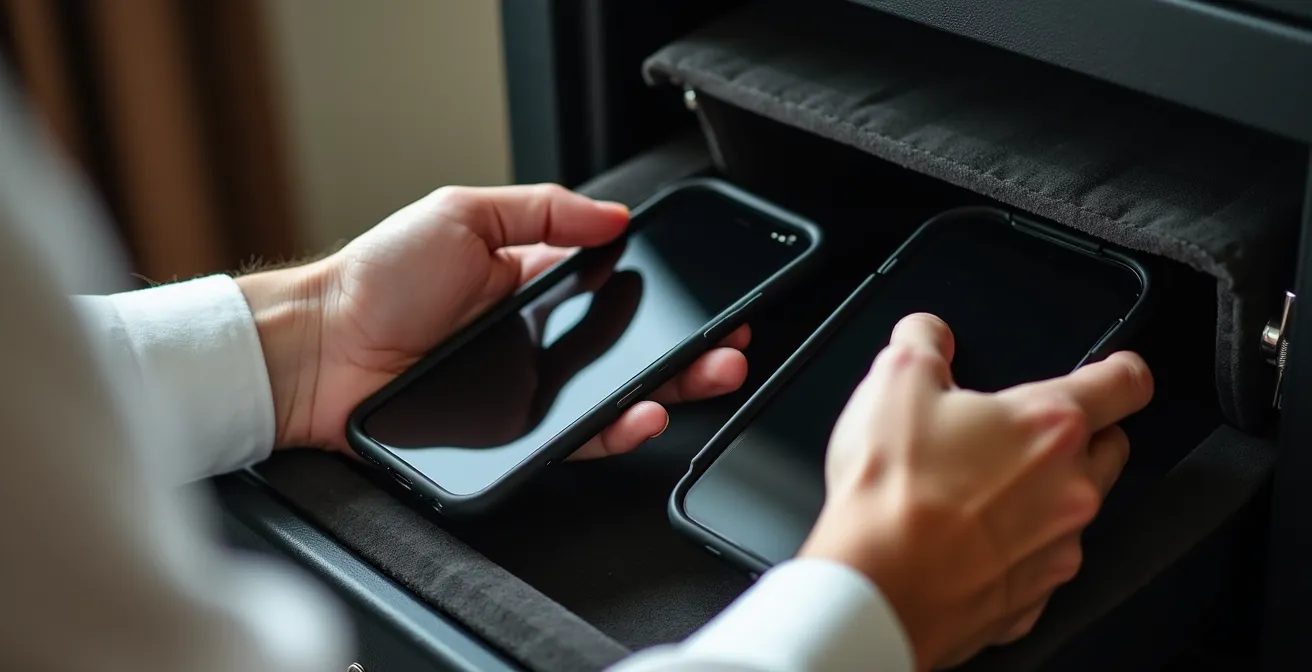
The key to the cold storage strategy is in the name: it stays cold. Once set up and tested at home, this device is powered off completely. It is never taken out in public. It lives in the hotel safe, locked away and untouched. Its sole purpose is to be activated in the event of a catastrophic failure of your primary device. This disciplined approach ensures that if your daily phone is stolen, you have a clean, pre-configured, and secure device ready to get you back online, contact your bank, and re-secure your digital life without panic. Having this lifeline transforms a trip-ending disaster into a manageable problem.
Why Buying an eSIM Online Is Safer Than Visiting a Kiosk at the Airport?
The physical SIM card is a major weak point in your security architecture. Airport SIM card kiosks, while convenient, introduce unnecessary risks. You are handing over your passport and personal details to a temporary vendor in a chaotic environment, creating an opportunity for identity theft. Furthermore, the act of physically swapping SIM cards exposes your primary SIM to being lost, damaged, or even discreetly copied. This physical vulnerability is a direct threat, as evidenced by a staggering 1,055% increase in SIM swap cases reported in the UK, highlighting how criminals actively exploit physical and social access to mobile accounts.
An eSIM, or embedded SIM, is a digital SIM that is built into your phone’s hardware. This fundamentally changes the security equation by eliminating the physical threat vector. You cannot lose, damage, or have an eSIM stolen from your device. It is tied directly to the phone’s hardware. This makes it inherently safer for all activities, including banking. A business traveler in Japan, for instance, was able to activate a bank-provided eSIM upon landing, immediately connecting to a trusted local network to complete secure transactions without ever touching the insecure airport Wi-Fi.
The safest procurement process is to purchase an eSIM from a reputable online marketplace like Airalo or Holafly *before* you even leave home. This allows you to install the eSIM profile while on your secure home network. Upon arrival at your destination, you simply switch it on. There is no need to connect to compromised airport Wi-Fi to get set up, no handing over of passports to strangers, and no fumbling with tiny, losable pieces of plastic. By adopting an eSIM-first strategy, you are hardening a critical entry point in your security system from the very start of your journey.
How to Set Up a Secondary Phone for Daily Use in Pickpocket Hotspots?
While the “cold storage” device is your ultimate backup, it’s useless for daily activities. Taking your primary, high-value phone—loaded with your entire digital life—into a crowded market or onto a packed metro is an unnecessary risk. The advanced security architecture includes a third layer: the “digital decoy” phone. This is an inexpensive but functional secondary smartphone that you use for all your day-to-day public activities.
The purpose of the decoy is twofold. First, it drastically lowers the financial and logistical impact of a street-level theft. Second, in the event of a mugging, it provides a convincing “surrender kit” that you can hand over without losing your actual digital life, which remains on your primary phone, safely hidden away. A successful decoy is one that appears real. It should be set up with a realistic background, some local apps (transport, food delivery), and a secondary, non-primary Google or Apple account.
Case Study: The Digital Decoy in Action
A traveler in South America successfully implemented a sophisticated dual-phone strategy. They used their inexpensive decoy phone, equipped with a local prepaid SIM, as a mobile hotspot. Their primary, more valuable home phone stayed hidden in a secure bag and connected to the decoy’s hotspot via Wi-Fi. This allowed them to still receive critical authentication texts and calls on their home number (via Wi-Fi calling) without ever exposing their main device in public. The decoy phone was loaded with a low-limit virtual card from Revolut, making it a convincing but low-risk device to hand over in a robbery.
To complete the decoy system, pair the phone with a secondary wallet containing a small amount of local cash and a few expired credit cards. You use the decoy phone for navigation, taking casual photos, and looking up restaurants. All sensitive activities—banking, accessing work email, or communicating with family—are done on your primary device, either back in your secure accommodation or by discreetly connecting to your decoy’s hotspot. This strategy isolates your risk to a low-value, easily replaceable asset, keeping your true digital hub protected.
How to Configure Your Router to Auto-Switch to USB Tethering on Failure?
For the digital nomad or traveler who depends on constant, secure connectivity, a single connection source is a single point of failure. The most advanced security architectures incorporate a personal travel router to create a secure, redundant, and managed network bubble for all devices. A device like those from GL.iNet acts as a firewall and a multi-talented connectivity hub, putting you in control of your internet access.
The core function is to bond multiple internet sources and create failover priorities. You can configure the router to prioritize your most secure connection—your eSIM data via USB tethering from your phone—as the primary source. The router can then be set to automatically failover to a secondary source, like a trusted hotel Wi-Fi, only if the primary connection drops. This ensures you maintain a persistent and secure connection without interruption, which is critical for video calls or large file transfers. This is not about speed; it’s about configuring source priority based on security.
Furthermore, the travel router is the perfect place to implement a router-level VPN. Instead of installing and managing VPN software on each device (laptop, phone, tablet), you configure the VPN once on the router. Now, any device that connects to your travel router’s Wi-Fi is automatically protected by the VPN. You can even take this a step further with network segmentation, creating separate Wi-Fi networks broadcast from the same router—for instance, a “Bank-Wi-Fi” network with the highest security settings and a “Work-Wi-Fi” for general use. Testing these failover scenarios before you travel is essential to ensure a seamless and secure experience on the road.
Key Takeaways
- Your security is a system, not a checklist. Proactively design a layered architecture that assumes failure will happen.
- Eliminate your single biggest vulnerability by completely abandoning SMS for 2FA and moving to app-based or hardware authenticators.
- A three-device strategy is the gold standard: a primary phone, a daily “digital decoy,” and an offline “cold storage” backup for disaster recovery.
How to Save 80% on Roaming Fees Using eSIM Marketplaces?
Building a robust security architecture might seem expensive, but one of its core components—the eSIM—unlocks a benefit that more than pays for the entire system: massive savings on data. Exorbitant carrier roaming fees are not just a financial drain; they create a security risk by discouraging travelers from using their most secure connection (cellular data) in favor of risky public Wi-Fi. By embracing eSIM marketplaces like Airalo, you can slash your data costs by up to 80% or more compared to standard roaming rates.
The strategy is simple. Before your trip, you browse an eSIM marketplace and purchase pre-paid data plans for each country on your itinerary. You can buy a 10GB plan for Spain, a 5GB plan for Morocco, and a 20GB plan for Thailand, all from one app. You install these eSIMs while on your secure home network. When your plane lands in a new country, you simply activate the corresponding eSIM and are instantly connected to a local carrier’s secure network. There’s no need to hunt for a SIM kiosk, and you avoid the “bill shock” of returning home to a three-figure roaming charge.
This approach allows you to run a dual-SIM setup: keep your primary home SIM active (with data roaming turned off) to receive essential calls or SMS messages, while using the cheap local eSIM for all your data needs. This gives you the best of both worlds: connectivity and security. The money you save on roaming should be seen as a budget you can reinvest into your security. Those savings can pay for your VPN subscription, your travel router, and even the cost of your decoy phone over time. Ultimately, using eSIMs isn’t just a cheaper way to travel—it’s the financial engine that makes a truly professional security architecture affordable and sustainable.
Now that you have the blueprint, the next step is implementation. Begin by auditing your current accounts and phasing out SMS-based 2FA. Procure your backup devices and start building your secure, redundant system today to ensure your next journey is protected against any digital threat.