
The key to reclaiming your focus isn’t silencing notifications, but strategically redesigning your digital information flow from reactive to intentional.
- Constant interruptions are a biological issue, raising stress hormones like cortisol and draining cognitive capacity even when ignored.
- Effective solutions involve creating systems, such as “Emergency Bypass” for key contacts and choosing asynchronous tools (email) over synchronous ones (IM) for most communication.
Recommendation: Start by implementing one change today—disable notification badges for three non-essential apps to break the cycle of reactive checking.
The familiar buzz in your pocket. The glowing red dot on an icon. The phantom vibration you feel even when your phone is silent. For the modern knowledge worker, these are the drumbeats of a day dictated by digital interruptions. You feel scattered, pulled between a critical project, a rapid-fire Slack channel, and an overflowing inbox. Your focus shatters into a dozen pieces before you’ve even had your morning coffee.
You’ve likely been told to “just turn them off” or to schedule “focus time” in your calendar. While well-intentioned, this advice often fails because it treats the symptom, not the cause. It puts the burden of resistance entirely on your willpower, a finite resource that’s already depleted by a thousand other decisions. The issue isn’t a lack of discipline; it’s a flawed system.
But what if the problem isn’t the notifications themselves, but our lack of an intentional system for managing them? What if, instead of reacting, we could proactively design our digital environment to serve our goals? This guide is not about digital abstinence; it’s about Information Flow Design. It’s about transforming your relationship with your devices from a state of constant reactivity to one of conscious control, allowing you to reclaim the deep work hours essential for meaningful output.
We will explore the biological cost of these constant pings, then dive into the practical, step-by-step configurations you can implement today. From setting up impenetrable focus modes to making your most addictive apps harder to reach, you’ll learn to build a digital fortress that protects your most valuable asset: your attention.
This article provides a comprehensive roadmap to redesigning your notification ecosystem. Follow the sections to build your personalized system for digital wellness and productivity.
Summary: Your Guide to Mastering Notification Channels for Deep Work
- Why Red Notification Badges Increase Cortisol Levels and How to Hide Them?
- How to Set Up “Emergency Bypass” so Only Key People Can Ring You?
- Instant Messaging or Email: Which Tool Is Killing Your Team’s Productivity?
- The Morning Mistake That Derails Your Entire Workday Priorities
- How to Revoke Notification Permissions for Non-Essential Apps in Batch?
- How to Use “App Hiding” to Create Friction for Your Most Addictive Apps?
- When to Take a “Data Detox” Break from Your Sleep Tracker?
- How Switching to a Minimalist Launcher Can Reduce Screen Time by 1 Hour?
Why Red Notification Badges Increase Cortisol Levels and How to Hide Them?
That small, seemingly innocuous red circle with a number inside is more than just a counter; it’s a potent neurological trigger. It leverages a psychological principle known as the “Zeigarnik effect,” our brain’s tendency to obsess over unfinished tasks. Each unread notification is an open loop that your brain feels compelled to close, creating a low-grade, persistent anxiety. This isn’t just a feeling; it’s a physiological event. Research has shown that this constant state of alert can elevate cortisol, the body’s primary stress hormone.
Specifically, the habit of checking your phone immediately upon waking can set a stressful tone for the entire day. A 2024 study revealed that people who checked their phones within five minutes of waking showed 31% higher cortisol levels 90 minutes later compared to those who waited. This morning cortisol spike primes your brain for reactivity, not proactive, focused work. The red badge is a constant, visible reminder of this digital “debt,” hijacking your attention and keeping you in a fight-or-flight state.
The first and most impactful step in your information flow redesign is to neutralize this threat. Disabling notification badges (or “dots” on Android) removes the visual cue that preys on your brain’s vulnerabilities. You are no longer pulled into an app by a glaring red signal. Instead, you can choose to open an app on your own terms, when you have allocated time to process its contents. This simple change shifts the power dynamic from the app to you, turning a reactive trigger into a deliberate action. Go into your phone’s settings, navigate to “Notifications,” and turn off the “Badge app icon” toggle for every non-essential application. This is your first victory in reclaiming your cognitive space.
How to Set Up “Emergency Bypass” so Only Key People Can Ring You?
One of the biggest fears preventing people from using “Do Not Disturb” or “Focus Mode” is the “what if.” What if there’s a family emergency? What if my most important client has an urgent issue? This fear keeps our digital doors wide open, allowing every notification to flood in just in case one of them is critical. This is a classic failure of system design. The solution isn’t to endure the flood but to build a better dam with a controlled spillway.
This is precisely what “Emergency Bypass” (on iOS) and “Starred Contact Exceptions” (on Android) are for. These features are the core of your digital triage system, allowing you to create an impenetrable fortress of focus with a VIP entrance. You can designate specific individuals—your partner, children, boss, or a key client—whose calls and messages will bypass your silent mode. This ensures that true emergencies can always reach you, granting you the peace of mind to block out everything else.
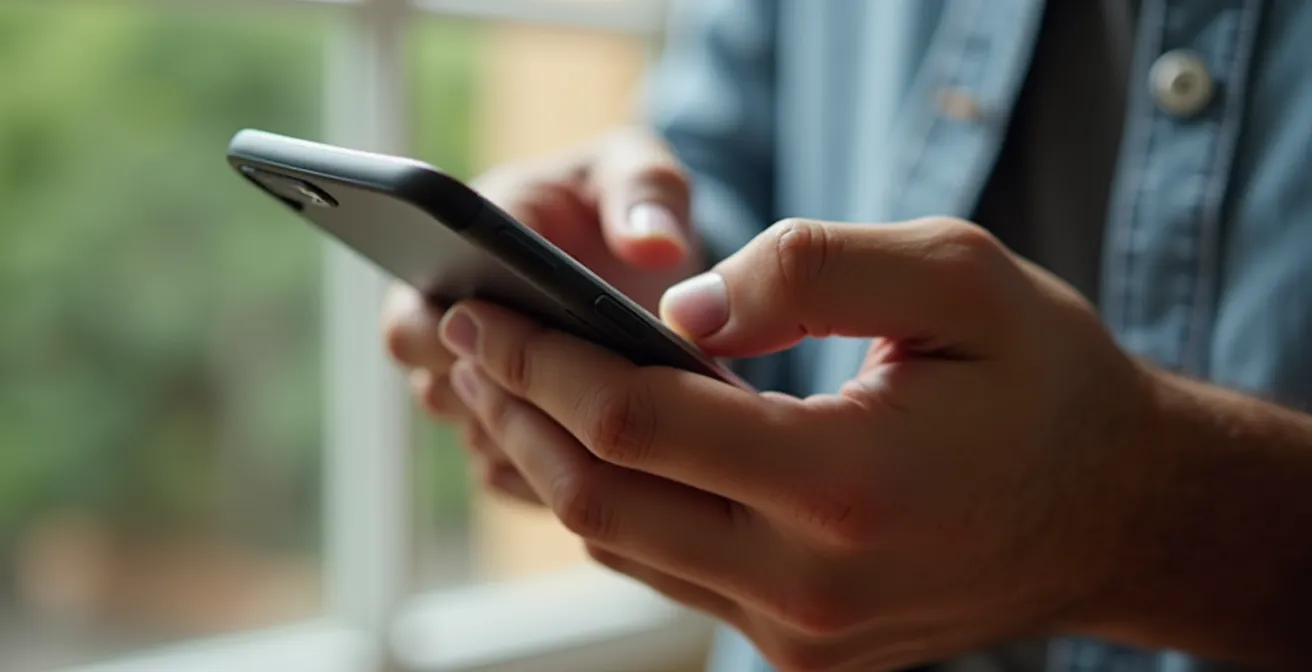
As this image illustrates, the act of configuring these settings is an intentional one. It’s a moment of taking control and deciding who has the right to interrupt your deep work. For example, on an iPhone, you can set up a “Work” Focus Mode that only allows notifications from colleagues in your “Team” list and silences all social media. On Android, you can set “Do Not Disturb” to allow calls only from “Starred contacts” and repeat callers, a failsafe for when someone is trying to reach you urgently. This level of granular control is the key to building a sustainable focus practice.
The table below breaks down how these features function across the two major platforms. Use it to configure your own “Emergency Bypass” system and finally give yourself permission to disconnect without anxiety.
| Platform | Feature Name | Key Capabilities | Setup Location |
|---|---|---|---|
| iOS | Focus Mode with Emergency Bypass | Allow specific contacts, time-based automation | Settings > Focus |
| Android | Do Not Disturb Exceptions | Starred contacts, repeat callers | Settings > Digital Wellbeing |
| Both | Double-Call Failsafe | Second call within 3 minutes breaks through | Automatic feature |
Instant Messaging or Email: Which Tool Is Killing Your Team’s Productivity?
The debate between instant messaging (like Slack or Teams) and email is not just about preference; it’s a battle between two fundamentally different work philosophies: synchronous versus asynchronous. Instant messaging platforms thrive on synchronous, real-time communication. They create an expectation of immediate response, fostering a culture of constant availability. Email, by its nature, is an asynchronous tool. It does not demand an instant reply, allowing for thoughtful, structured responses.
The rise of IM tools has sold us the illusion of hyper-productivity, but it often comes at a steep cognitive cost. Each notification from a chat app is an interruption that shatters your concentration. Groundbreaking research shows it takes, on average, over 23 minutes to regain deep focus after an interruption. When you’re constantly pulled into conversations, you’re not actually working; you’re context-switching. According to research cited in the Journal of Occupational Health, modern knowledge workers flip between apps or websites more than 1,200 times each day. This frantic digital dance is the enemy of deep, valuable work.
The tool that’s killing productivity is the one being used for the wrong purpose. Instant messaging is the culprit when it’s used as the default for all communication. A healthy information flow design requires a clear protocol. IM should be reserved for true, time-sensitive emergencies (e.g., “The server is down!”). Everything else—status updates, questions that can wait a few hours, document reviews—belongs in an asynchronous channel like email or a project management tool. By establishing this rule with your team, you collectively agree to protect each other’s focus, moving from a culture of interruption to a culture of intention.
The Morning Mistake That Derails Your Entire Workday Priorities
How you start your day determines the trajectory of your attention. The single biggest mistake a knowledge worker can make is reaching for their smartphone immediately upon waking. This seemingly harmless habit is an act of cognitive surrender. Before your own priorities have a chance to crystallize, you are inviting the world’s agenda—emails from your boss, news alerts, social media updates—to dictate your mental state. You begin the day in a reactive posture, and it’s nearly impossible to recover.
The data on this is staggering. IDC Research found that a staggering 80% of smartphone users check their phones within 15 minutes of waking. By doing so, you are not only spiking your cortisol levels but also sacrificing the most neurologically valuable period of your day. The first hour after waking is when your brain transitions from a diffuse, creative state to a focused, problem-solving state. Flooding it with external stimuli short-circuits this process, leaving you feeling frazzled and unfocused.
The antidote is the “First Hour Rule”: a commitment to keep your phone off, and ideally in another room, for the first 60 minutes of your day. This isn’t about Luddism; it’s about strategic selfishness. This protected time is for defining *your* priorities before anyone else can impose theirs. Participants in studies who adopted this habit reported lower anxiety and significantly better focus throughout the day. Instead of scrolling, you engage in high-value, analog activities that prime your brain for success.
Your Action Plan: The ‘Proactive Hour’ Protocol
- 15 minutes: Journal your top three priorities for the day on paper. This clarifies your intentions.
- 15 minutes: Plan your day using time-blocking on a physical planner. This translates intention into a concrete plan.
- 15 minutes: Engage in focused reading of educational or inspirational material. This warms up your cognitive engine.
- 15 minutes: Complete morning routine tasks (breakfast, light exercise, meditation) without any digital input.
By following this protocol, you take command of your morning. You set the agenda, fortify your focus, and enter your workday with clarity and purpose, rather than as a pawn in someone else’s game.
How to Revoke Notification Permissions for Non-Essential Apps in Batch?
Over time, our phones accumulate a significant number of apps, each one begging for our attention through notifications. We grant these permissions absentmindedly during installation, but the cumulative effect is a constant barrage of interruptions. The average US smartphone user receives an estimated 46 push notifications per day. If each one takes even a few minutes to recover from, the lost productivity is immense. The solution is a “notification audit,” a decisive process of revoking permissions for everything that is not absolutely essential.
While most operating systems require you to manage permissions on an app-by-app basis, the most effective approach is to adopt a ruthless, “guilty until proven innocent” mindset. Instead of asking, “Should I turn this one off?” ask, “Does this app’s ability to interrupt me at any moment provide more value than my own focused attention?” For 90% of your apps—social media, games, news, shopping—the answer is a resounding no.
Set aside 15 minutes for a “notification purge.” Go through your app list systematically and turn off all notifications by default. Be aggressive. Then, thoughtfully re-enable permissions for only a select few. This “essential” list is typically very short:
- Communication: Your primary messaging and phone apps (with Emergency Bypass configured).
- Calendar: Event reminders are crucial for time management.
- Navigation: Turn-by-turn directions when you are actively using them.
- Task Management/Work Tools: Only if they provide mission-critical, time-sensitive updates.
This batch revocation process is a core component of designing your information flow. It’s not about fine-tuning; it’s about a fundamental reset. By silencing the vast majority of apps, you drastically reduce the inbound noise, creating the quiet space necessary for deep work.
How to Use “App Hiding” to Create Friction for Your Most Addictive Apps?
Willpower is a notoriously unreliable tool for fighting digital addiction. The most effective strategy is not to resist temptation but to remove it from your immediate environment. “App Hiding” is a powerful technique based on a simple behavioral principle: create friction. By making it slightly more difficult to access your most distracting apps, you disrupt the automatic, unconscious habit of opening them.
The goal is to break the “thumb-to-app” muscle memory. When you mindlessly unlock your phone, your thumb instinctively travels to the Instagram, X, or Reddit icon. By moving these apps off your home screen, you force a moment of conscious thought. You have to actively search for the app, and in that brief pause, you have an opportunity to ask yourself, “Do I really need to open this right now?” Often, that moment is all it takes to break the spell.
You can implement progressive levels of friction:
- Level 1: Move the addictive apps off your home screen and into a folder on the second or third page.
- Level 2: Place them in a folder with a boring, generic name like “Utilities” or “Extras” to make it less visually appealing.
- Level 3: Log out of the app after each use. The need to re-enter your password adds significant friction.
- Level 4: Use your phone’s built-in “Focus Mode” to completely block access to these apps during your designated deep work hours, as one user did by blocking social media from 9-12 and 2-5, effectively breaking the habit of constant checking.
- Level 5 (The Nuclear Option): Delete the app from your phone entirely and only access it through the mobile web browser.
This strategy is not about banning apps forever. It’s about making their use intentional rather than reflexive. By creating just enough of a barrier, you reclaim control over your actions and dismantle the autopilot habits that drain your focus.
Key takeaways
- The biological cost of notifications is real, increasing the stress hormone cortisol and measurably draining your cognitive capacity.
- Effective focus management is not about willpower but about system design, using tools like “Emergency Bypass” and adopting an asynchronous-first communication culture.
- Creating “intentional friction” by hiding or restricting access to addictive apps is more effective than trying to resist them through sheer discipline.
When to Take a “Data Detox” Break from Your Sleep Tracker?
In our quest for optimization, we’ve turned to technology to quantify every aspect of our lives, including sleep. Wearables that track sleep stages, duration, and quality can provide valuable insights. However, this data can become a double-edged sword. When the focus on data supersedes your own subjective feeling of restfulness, it can lead to a condition known as “orthosomnia”—an unhealthy obsession with achieving perfect sleep scores.
This obsession can create a vicious cycle of anxiety. You have a “bad” sleep score, you worry about it all day, that anxiety makes it harder to sleep the next night, and your score gets worse. The tracker, intended to help, becomes a source of stress. The data is meant to be a guide, not a judgment. If you find yourself checking your sleep score multiple times a day, feeling anxious if you forget to wear your tracker, or trusting the data more than how you actually feel, it’s a clear sign you need a “data detox.”
A data detox involves taking a break from the tracker for a week or two. The goal is to recalibrate your senses and learn to trust your body’s own signals again. Pay attention to how you feel when you wake up. Are you groggy or refreshed? How is your energy and focus throughout the day? This subjective data is just as, if not more, important than what a sensor on your wrist tells you. Healthy tracking involves looking at weekly or monthly trends to inform behavioral changes (like adjusting bedtime), not obsessing over the score of a single night. A sleep tracker is a tool, but your body is the ultimate authority on its own restfulness.
How Switching to a Minimalist Launcher Can Reduce Screen Time by 1 Hour?
If creating friction by hiding apps is a targeted tactic, switching to a minimalist launcher is a complete environmental redesign. Standard phone interfaces are engineered to be as engaging as possible, with colorful icons, widgets, and endless app drawers designed to pull you in and keep you scrolling. A minimalist launcher replaces this distracting interface with a simplified, often text-only, home screen. It fundamentally changes your phone from a high-stimulation entertainment device into a functional tool.
Launchers like “Before Launcher” or “Niagara Launcher” typically display only your essential apps and hide everything else. By removing the visual candy, you reduce the unconscious desire to tap and explore. The simple act of turning your screen to grayscale, a feature available on most phones, works on the same principle, making the digital world less appealing than the real one. These changes short-circuit the dopamine loops that app designers have spent years perfecting.
This approach addresses the root of the problem: the mere presence of your phone is a distraction. A study from the University of Texas found that even having your phone visible on your desk, turned off, reduces available cognitive capacity by approximately 10%. A minimalist launcher helps mitigate this “smartphone effect” by making the device itself boring. When your phone is no longer a source of endless novelty, you’re far less likely to pick it up without a clear purpose. This reclaimed time and attention, which can easily add up to an hour or more per day, can then be reinvested into deep, focused work.
By implementing these strategies, you move from being a passive recipient of digital noise to the active architect of your attention. Start today by making one small change, and begin the process of reclaiming your time, your focus, and your ability to do the work that truly matters.