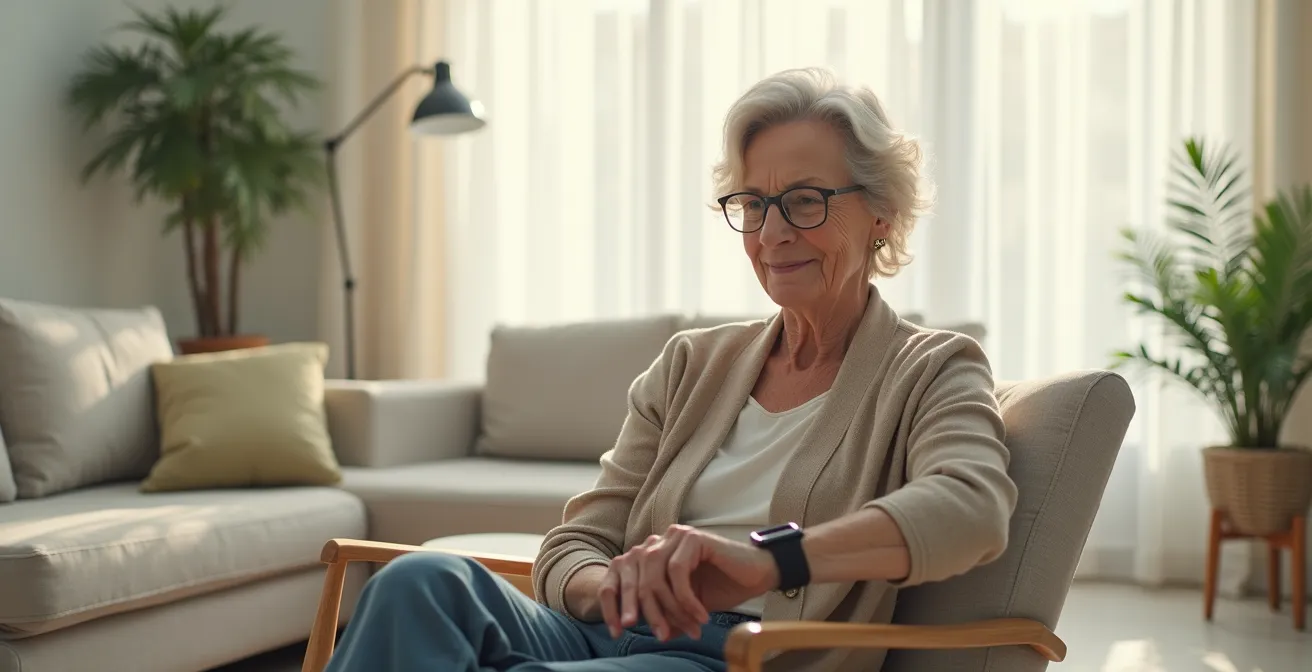
A smartwatch’s fall detection is not a simple “on/off” feature; its real-world reliability depends on a complete ecosystem of technology, user habits, and correct setup.
- False alarms are common due to wrist-based sensor limitations, while missed falls (false negatives) remain a risk.
- Inconsistent charging habits and incorrect location data setup are the most common points of catastrophic failure.
Recommendation: Before replacing a dedicated medical alert system, you must conduct a thorough risk assessment of these practical failure points, viewing the smartwatch as one component in a larger personal safety strategy.
The promise of a sleek smartwatch replacing a traditional medical alert pendant is compelling. For many seniors and their families, it represents a blend of independence, modern technology, and safety. Mainstream marketing focuses on the successful detection of a hard fall, a moment of technological triumph. However, as a researcher in geriatric safety technology, my focus is on the moments the system fails. The decision to rely on this technology for a person living alone is a high-stakes one, and it demands a deeper analysis than what is typically presented.
Most discussions revolve around a simple comparison of features. They mention that smartwatches have accelerometers and can call for help. But this overlooks the complex reality of the “ecosystem reliability.” A truly effective safety system is more than just a sensor; it’s a chain of events that must work flawlessly, from detecting the fall to getting the right help to the right location, quickly. A single weak link in this chain—a dead battery, an inaccurate GPS pin, a misinterpretation of a sudden movement—can render the entire system useless in a moment of crisis. The critical question isn’t “Does it have fall detection?” but rather, “Have we identified and mitigated all the potential failure points?”
This article moves beyond a simple feature list. We will adopt a researcher’s framework to dissect the practical risks and limitations of smartwatch-based fall detection. By examining the common causes of both false alarms and missed alerts, the critical role of battery management, the devastating consequences of setup errors, and the nuances of data privacy and accessibility, we will build a clear-eyed understanding. The goal is not to dismiss the technology, but to empower you with the knowledge to make an informed, genuinely safe decision about whether a smartwatch is a sufficient lifeline for independent living.
To help you navigate these critical considerations, this guide is structured around the most common and consequential failure points of smartwatch safety technology. Each section addresses a specific question you should be asking before making a decision.
Summary: Evaluating the Real Risks of Smartwatch Fall Detection
- Why Your Watch Thinks You Fell When You Clap Your Hands?
- Daily Charging vs. Weekly: Which Watch Is Practical for a Forgetful User?
- The Setup Mistake That Sends the Ambulance to the Wrong Address
- How to Share Health Data with Doctors Without Sharing Location with Family?
- Shower-Safe or Not: Which Fall Detection Watches Can Be Worn While Bathing?
- Tablet or Phone: Which Screen Size Is Safer for Visual Diagnosis Calls?
- Wrist or Chest Strap: When Is Optical Heart Rate Accuracy Not Good Enough?
- How to Configure Accessibility Settings for Seniors with Vision Loss?
Why Your Watch Thinks You Fell When You Clap Your Hands?
The single greatest challenge for wrist-based fall detection is distinguishing a genuine fall from everyday, high-impact arm movements. The device’s accelerometer and gyroscope are designed to recognize the specific signature of a hard impact followed by a period of stillness. However, this algorithm can be easily fooled. Activities like vigorously clapping at an event, playing tennis, shaking out a heavy blanket, or even chopping vegetables can generate G-force patterns that mimic a fall, triggering a false positive alert. While a false alarm can be cancelled, frequent interruptions can lead to “alert fatigue,” causing the user to distrust or even disable the feature entirely—a dangerous outcome.
The core of the issue lies in the device’s location. The wrist is a point of high, independent motion, whereas a true, dangerous fall involves the entire torso. This distinction is a fundamental challenge for any wrist-worn device. It highlights a critical trade-off between sensitivity (catching real falls) and specificity (avoiding false alarms). An overly sensitive algorithm will generate constant false positives, while a less sensitive one risks a false negative—the catastrophic failure to detect a real fall.
Case Study: Apple Watch’s False Alarm Challenges
When Apple introduced fall detection on its Series 4 watch in 2018, it was a landmark feature. However, user reports quickly surfaced detailing false alarms triggered by common activities. In a notable analysis from the medical alert industry, one company made a strategic decision against including automatic fall detection in their own smartwatch. Bay Alarm Medical concluded that the wrist is not the most reliable position to accurately determine if a person’s entire body has experienced a fall, opting to prioritize the avoidance of false positives that could erode user confidence and lead to the feature being disabled.
While no system is perfect, you can take steps to mitigate these false alarms. Adjusting sensitivity settings, ensuring the watch is worn snugly, and keeping your personal health profile (height and weight) updated can help the algorithm perform more accurately. It’s crucial to understand that these devices are interpreting data, not observing an event, and this interpretation will always have a margin of error.
Daily Charging vs. Weekly: Which Watch Is Practical for a Forgetful User?
A smartwatch with a dead battery offers zero protection. This obvious fact is the most significant and common failure point in the entire safety ecosystem. Unlike a dedicated medical alert pendant which can last weeks or months on a single charge, a feature-rich smartwatch often requires daily charging. For a user who is prone to forgetfulness, dealing with cognitive decline, or simply unaccustomed to managing another device’s battery, this presents a substantial risk. A fall detection feature is only reliable if the device is consistently worn and powered on, especially during the night or early morning when falls can occur.
The market offers a spectrum of options, creating a direct trade-off between features and battery longevity. Watches with vibrant screens, extensive app ecosystems, and continuous health monitoring (like ECG and blood oxygen) typically last 18-36 hours. Conversely, devices that prioritize battery life may last for a week or two but often sacrifice screen quality, app integration, and some advanced health sensors. Some dedicated medical alert watches attempt a middle ground but may require a separate monthly fee for their monitoring services, a factor to consider in the total cost of ownership. The key is to realistically assess the user’s ability and willingness to incorporate a charging routine into their daily life.
This table compares popular models, illustrating the stark difference in battery management demands. As an analysis by the National Council on Aging highlights, there is no single best option; the choice depends entirely on the user’s profile.
| Watch Model | Battery Life | Fall Detection Active | Features Trade-off |
|---|---|---|---|
| Apple Watch Series 10 | 18-36 hours (Low Power Mode) | Yes (reduced features in low power) | Full health ecosystem |
| SOS Smartwatch (Bay Alarm) | 6-18 hours | Yes (optional) | Medical alert focused |
| Amazfit GTR 4 | 14 days typical use | Yes | Limited app ecosystem |
| Medical Guardian MGMove | Up to 24 hours | Yes ($10/month extra) | Full monitoring center |
Creating a “charging ritual”—placing the watch on its charger every night in the same place, like a bedside table next to hearing aids or glasses—is a critical risk mitigation strategy. If a daily routine seems impractical or unreliable, a device with a weekly charging cycle is an inherently safer choice, even if it means forgoing some of the more advanced “smart” features.
The Setup Mistake That Sends the Ambulance to the Wrong Address
A successful fall detection is only the first step. The system’s ultimate goal is to connect the user with emergency services, and this connection is critically dependent on accurate data entered during the initial setup. A simple oversight, like omitting an apartment number or an entry gate code, can result in a catastrophic failure: paramedics arriving at the correct building but unable to reach the person in need. This is not a technological flaw in the watch itself, but a human error in data management that completely negates the benefit of the alert.
Modern smartwatches use a combination of GPS, Wi-Fi, and cellular data to pinpoint the user’s location. While generally accurate outdoors, GPS signals can be weak or unreliable inside large apartment buildings. The “Medical ID” or “Emergency Info” feature on the phone connected to the watch is the primary source of truth for first responders. This is where you must provide not just the street address, but all the contextual details necessary for access: apartment or unit numbers, floor level, building entry codes, or the location of a lockbox. For users who split their time between two homes, it’s vital to have a system in place to update this information accordingly.
Testing the system is not an optional step. While you should never dial emergency services for a non-emergency, you can test the SOS feature that alerts personal emergency contacts. This test verifies that the contacts are correctly configured and that they receive the alert and location information as expected. It’s also an opportunity to confirm with them what their role is in an emergency. Should they call 911 immediately or try to contact the user first? Clarifying this protocol ahead of time prevents confusion during a real crisis.
Your Action Plan: Caregiver’s Pre-Flight Checklist for Smartwatch Setup
- Verify the ‘My Info’ or Medical ID card includes the full address with apartment/suite numbers.
- Add entry codes, lockbox locations, and building-specific directions in the Medical ID notes section.
- Test the SOS feature with prior warning to emergency contacts—instruct them not to hang up but to confirm receipt of the test notification.
- Enable ‘Wrist Detection’ to ensure automatic emergency calls can be made even if the user is unconscious.
- Update location permissions for the health and emergency apps to ‘Always Allow’ so services receive the most recent GPS coordinates.
- For users splitting time between homes, create a recurring calendar reminder to update the primary address in the Medical ID.
How to Share Health Data with Doctors Without Sharing Location with Family?
One of the most compelling advantages of a smartwatch is its ability to collect a rich stream of health data, from heart rate and ECG readings to sleep patterns and activity levels. This information can be invaluable for a physician. However, for many seniors, the idea of this same device broadcasting their every move to family members feels like an invasion of privacy and a loss of autonomy. Striking a balance between connected safety and personal privacy is a significant concern that must be addressed through careful configuration.
The solution lies in understanding that modern devices allow for granular control over data sharing. You can and should create different “circles” of sharing, providing each group with only the information they need. For instance, paramedics need access to your Medical ID in an emergency, but they don’t need continuous access to your daily activity. Your doctor may need a PDF export of your ECG history, but not your real-time location. Close family might need to receive a fall detection alert, but not a minute-by-minute map of your whereabouts. This tiered approach respects the user’s independence while keeping the essential safety net in place.
Case Study: Emergency Sharing vs. Continuous Tracking
Device manufacturers are increasingly aware of this privacy dilemma. The Google Pixel Watch, for example, makes a clear technical distinction between its two location features. ‘Emergency Sharing’ is a temporary function activated only when fall detection or SOS is triggered, sharing the user’s live location with emergency contacts for the duration of that specific event. This is separate from general ‘Location Sharing,’ which is a continuous tracking feature. This separation allows a user to feel secure that their location is not being constantly monitored by family, but will be instantly available to them in a true emergency, providing the best of both worlds.
Setting up these privacy-conscious circles requires a deliberate dive into the watch’s companion app on the smartphone. It’s not a default setting. Using the built-in health sharing features on Apple or Samsung devices, you can toggle permissions on or off for specific data categories and for individual contacts. This initial time investment is crucial for building trust in the system and ensuring the user feels empowered rather than supervised.
Shower-Safe or Not: Which Fall Detection Watches Can Be Worn While Bathing?
The bathroom is one of the most common places for falls to occur in the home, due to wet, slippery surfaces. Research consistently shows that 1 in 4 adults over 65 experience falls annually, with bathrooms being a particularly high-risk area. It is therefore absolutely critical that a fall detection device can be worn while bathing or showering. A watch that must be removed before entering the shower leaves the user unprotected during one of their most vulnerable moments. This makes a device’s water resistance rating a non-negotiable feature for a reliable safety system.
Water resistance in watches is typically measured by an IP (Ingress Protection) rating or an ATM (atmospheres) rating. For shower use, you need more than just “splash resistant.” Look for a rating of at least IP67, which means the device can be submerged in up to 1 meter of water for 30 minutes. An even better rating is 5ATM or WR50, indicating it can withstand pressure equivalent to a depth of 50 meters. Most flagship smartwatches from Apple and Samsung meet this higher standard.
However, water resistance is only part of the equation. It’s also important to consider how the device functions when wet. Water on the screen can sometimes trigger accidental touches or prevent the user from being able to interact with the touchscreen to cancel a false alarm. For this reason, watches with physical buttons that can override the touchscreen are often a more practical choice for use in wet environments. Users should also be instructed to dry the watch and their wrist after a shower to ensure continued comfort and sensor accuracy.
This table breaks down the water resistance capabilities of several popular models. Note the distinction between being “shower safe” and how the device’s interface responds to being wet.
| Watch Model | Water Rating | Shower Safe | Fall Detection in Shower | Screen Response When Wet |
|---|---|---|---|---|
| Apple Watch Series 10 | WR50 (50m) | Yes | Active | Limited – dry before use |
| Samsung Galaxy Watch 7 | IP68 + 5ATM | Yes | Active | Use physical buttons |
| Bay Alarm SOS Smartwatch | IP67 | Yes – brief exposure | Active | Reduced accuracy |
| Medical Guardian MGMove | IP67 | Splash resistant | Active | May need drying |
Tablet or Phone: Which Screen Size Is Safer for Visual Diagnosis Calls?
In the aftermath of a fall, even a minor one, a telehealth call with a doctor or a family member can be an essential step to assess for injury. This is where the concept of diagnostic fidelity becomes critical. While a smartphone is highly portable and likely to be within reach, its small screen can make it difficult for a healthcare provider to get a clear view of a potential injury, such as a bruise, cut, or rash. A larger screen, like that of a tablet, provides significantly better visibility, potentially improving the accuracy of a remote visual diagnosis.
The choice between these devices involves a trade-off between immediacy and clarity. A phone can be used instantly from wherever the fall occurred. A tablet might need to be retrieved from another room, but it offers a much more stable and clear video feed, especially if placed on an adjustable stand for a hands-free conversation. For users with vision or hearing impairments, a tablet is almost always the superior choice, as it offers larger icons for easier navigation under stress and often has more powerful speakers.
Trade-off Between Portability and Visibility in Emergency Telehealth
Device usage analysis reveals this stark trade-off. While smartphones are the most accessible device immediately following a fall, tablets provide a screen area that is roughly 2.5 times larger. This increased real estate is invaluable for diagnosis. Healthcare providers report higher confidence in their visual assessments from tablet-based video calls due to the enhanced clarity of symptoms. However, they also note that the response time can be delayed by 30 to 60 seconds as the user retrieves and sets up the larger, less portable device.
A blended approach often provides the best solution. Keep a phone easily accessible for the initial call, but have a tablet pre-configured and mounted in a central or high-risk location, such as the living room or near the bathroom. Using simple launcher apps with large, clear icons can make these devices much easier to operate for a senior, particularly in a stressful post-fall situation. Pre-configuring video call apps to automatically answer calls from trusted contacts can further streamline the process when mobility is limited.
Wrist or Chest Strap: When Is Optical Heart Rate Accuracy Not Good Enough?
Many smartwatches are marketed not just as safety devices, but as comprehensive health monitors, with optical heart rate sensing being a cornerstone feature. These sensors work by shining an LED light onto the skin and measuring the amount of light that is scattered by blood flow. While convenient and generally adequate for tracking fitness trends, their accuracy can be a significant limitation in certain medical contexts, particularly for users with conditions like Atrial Fibrillation (AFib).
The primary issue is that optical sensors on the wrist are susceptible to “noise” from poor skin contact, wrist movement, and low blood perfusion. For general wellness, a slight inaccuracy is acceptable. But when monitoring for heart rhythm irregularities, precision is paramount. A chest strap monitor, by contrast, doesn’t use optics. It measures the heart’s actual electrical signals (ECG), similar to the technology used in a hospital setting. This method is inherently more precise and reliable.
The difference in accuracy is not trivial. A significant body of research shows that electrical signals from chest straps outperform optical wrist sensors, providing up to 99% accuracy in heart rate measurement compared to the 90-95% often achieved by wrist-based devices during activity. For a user whose health strategy relies on the accurate detection of an irregular heartbeat, this 5-9% difference can be the gap between timely intervention and a missed medical event. While some advanced smartwatches now include a single-lead ECG function, this requires the user to be still and actively touch the watch in a specific way, making it unsuitable for continuous, passive monitoring.
Therefore, a critical assessment is required. If the primary goal is fall detection and general activity tracking, the built-in optical heart rate sensor on a smartwatch is likely sufficient. However, if the user and their doctor are relying on the device for medical-grade monitoring of a known heart condition, a dedicated electrical-based sensor, such as a chest strap, may be a necessary and much safer complement to the smartwatch.
Key Takeaways
- A smartwatch’s reliability is an ecosystem, not just a device. Battery life, setup, and user habits are as critical as the sensor itself.
- False alarms are inherent to wrist-based detection; managing them without creating “alert fatigue” is a key challenge.
- Water resistance (IP67 or better) is non-negotiable, as bathrooms are a primary site for falls.
How to Configure Accessibility Settings for Seniors with Vision Loss?
A smartwatch’s safety features are useless if the user cannot see, hear, or interpret its alerts. For seniors experiencing vision or hearing loss, the standard interface of a smartwatch can be a significant barrier. Fortunately, modern devices are equipped with a powerful suite of accessibility features that, when properly configured, can make the device fully usable for individuals with sensory impairments. However, these settings are not typically enabled by default and require a dedicated setup process, ideally with the help of a caregiver.
For vision loss, the first steps are to enable bold text and increase the font size to the maximum comfortable level. For more significant impairment, screen reader functions like VoiceOver (Apple) or TalkBack (Android) provide a complete audio-based interface, reading aloud every item on the screen. The ‘Zoom’ feature, often activated with a simple three-finger tap, allows for temporary magnification of a specific area. A crucial step is designing a custom watch face that is extremely simple, featuring a single, large time complication with a high-contrast color scheme (e.g., white on black).
Beyond visual aids, haptic feedback is a powerful tool. Developing “haptic literacy”—the ability to distinguish different alerts by their vibration pattern alone—can allow a user to operate the watch without even looking at it. For example, the alert for a detected fall should have a unique and urgent haptic pattern that is easily distinguishable from a simple text message or calendar reminder.
Case Study: Haptic Communication for Non-Visual Alert Recognition
Leading smartwatch platforms have invested heavily in their haptic engines for this purpose. Devices like the Apple Watch deliver a distinctive series of firm taps followed by an audible alarm specifically for fall detection. In usability studies, vision-impaired users report a high success rate in correctly identifying the fall alert versus other notifications, such as an incoming phone call or a timer, based solely on the haptic pattern. This non-visual confirmation enables them to use the device safely and independently, knowing they can recognize the most critical alerts by feel.
Ultimately, a smartwatch can be a viable part of a personal safety plan, but it cannot be treated as a plug-and-play solution. Its reliability is a direct result of the diligence invested in selecting the right device for the user’s habits, configuring it meticulously, and understanding its inherent limitations. To truly ensure safety, begin by conducting this critical risk assessment for your specific situation.