Blog
Modern mobile technology has evolved far beyond simple communication tools. Today’s smartphones, tablets, and laptops serve as our workstations, health monitors, entertainment centers, and security vaults. Yet this deep integration into daily life brings challenges that most users never anticipated: devices that fail prematurely, workspaces that cause physical pain, notifications that disrupt mental wellbeing, and security vulnerabilities that compromise personal data.
Understanding how to navigate these challenges transforms technology from a source of frustration into a genuinely empowering resource. This comprehensive exploration connects the dots between device longevity, physical health, digital wellbeing, security practices, and performance optimization. Whether you’re struggling with a laptop that overheats during video calls, wondering why your budget phone failed right after warranty expiration, or trying to regain control over constant notifications, the insights ahead will help you make informed decisions and develop sustainable tech habits.
Device Longevity and the Right-to-Repair Movement
The frustrating reality of modern electronics is that many devices seem designed to fail precisely when manufacturer support ends. This phenomenon, known as planned obsolescence, manifests in multiple ways: non-replaceable batteries sealed with proprietary screws, software updates that slow older hardware, and deliberately limited access to repair documentation.
Understanding Repair Barriers
Manufacturers employ various tactics to prevent third-party repairs. Software locks detect non-genuine replacement parts and disable features, even when aftermarket components function identically. Think of it like a car that refuses to start because you installed brake pads from a different brand. Battery replacement, once a simple user operation, now often requires specialized tools and risks voiding warranties. Some devices use serialized components that pair exclusively with the original motherboard, making even genuine replacement parts incompatible.
Calculating True Ownership Costs
The sticker price rarely tells the full story. A premium device that receives five years of software updates and supports battery replacement may cost less per year of use than a budget model that becomes obsolete in eighteen months. To calculate real value, consider:
- Expected lifespan based on manufacturer support commitments
- Availability of replacement parts and repair documentation
- Modular design that allows component upgrades
- Track record of the manufacturer honoring repair rights
Identifying Repairable Technology
Modular devices prioritize user serviceability. Look for products with external battery access, standard screws rather than proprietary fasteners, and publicly available service manuals. Creating a maintenance schedule extends device life significantly: cleaning ventilation systems quarterly, updating firmware regularly, and replacing thermal paste on aging laptops can add years of productive use.
Ergonomic Workspace Design for Physical Wellbeing
The shift toward remote work and mobile productivity has created an epidemic of preventable physical ailments. Neck strain, wrist pain, and chronic fatigue often stem from workspace configurations that prioritize convenience over ergonomics. The problem intensifies in small living spaces where students and remote workers improvise setups that cause long-term damage.
The Laptop Screen Problem
Traditional laptop use forces an impossible choice: position the screen at eye level and compromise wrist angle, or maintain proper hand position and crane your neck downward. Over time, this forward head posture strains cervical vertebrae. For every inch your head tilts forward, your neck muscles support an additional ten pounds of perceived weight. A laptop stand elevates the screen to eye level, but requires a separate external keyboard to maintain neutral wrist position.
Optimizing Limited Spaces
Student dorms and small apartments present unique challenges. Compact external keyboards provide ergonomic typing without occupying excessive desk space. Portable monitors enable dual-screen efficiency for multitasking workflows, though selecting models requires attention to weight, power requirements, and compatibility with mobile devices. Noise isolation becomes critical in shared living environments: quality headphones with active cancellation preserve focus without disturbing roommates.
Common Setup Mistakes
Working from bed or sofas destroys posture and blurs the psychological boundary between rest and productivity spaces. These environments lack proper lumbar support and force awkward angles that compress nerves and restrict circulation. Additionally, blocking laptop intake vents by placing devices on soft surfaces causes thermal throttling and accelerates hardware degradation. Even a simple laptop stand positioned on a proper desk dramatically improves both ergonomics and device longevity.
Digital Wellbeing and Notification Management
Constant connectivity has created a mental health crisis that most users don’t recognize until anxiety becomes overwhelming. The average smartphone user receives over 60 notifications daily, each one fragmenting attention and triggering cortisol stress responses. Regaining control requires understanding the psychological mechanisms that make notifications so disruptive.
Why Unread Badges Trigger Anxiety
The small red circle displaying unread counts exploits our psychological need for closure. This phenomenon, called the Zeigarnik Effect, causes incomplete tasks to occupy mental resources. Your brain treats each unread notification as an open loop requiring resolution, even when the actual content holds no urgency. Email checked first thing in the morning sets a reactive rather than proactive tone for the entire day, surrendering control over priorities to whoever happened to send messages overnight.
Implementing Intentional Communication Systems
Distinguishing between asynchronous and synchronous communication transforms digital interactions. Asynchronous channels like email and project management tools don’t demand immediate responses, while synchronous platforms like phone calls and instant messaging imply real-time availability. Prioritizing VIP contacts for emergency overrides ensures important communications break through without allowing every app to demand attention. Auditing app permissions reveals which services genuinely need notification access versus those exploiting it for engagement manipulation.
Scheduling Strategic Breaks
Continuous screen time without structured breaks leads to cognitive fatigue and burnout. The Pomodoro Technique and similar frameworks impose artificial boundaries that prevent the time distortion common in deep work sessions. Blue light management becomes especially important for late studying or evening work, as short-wavelength light suppresses melatonin production and disrupts circadian rhythms.
Augmented Reality Applications Beyond Gaming
Augmented reality has evolved from a novelty to a practical tool for everyday tasks. Home improvement, shopping decisions, and spatial planning increasingly leverage AR capabilities built into modern smartphones. However, understanding the technology’s limitations prevents costly mistakes based on inaccurate measurements or misleading visualizations.
AR measurement tools offer remarkable convenience but vary significantly in accuracy depending on hardware sensors and lighting conditions. Professional-grade LiDAR scanners achieve millimeter precision, while camera-based solutions may drift by several centimeters over distance. Visualizing paint colors realistically helps avoid expensive mistakes, though screen calibration and ambient lighting affect perceived hues. Trying on wearables virtually before purchase reduces return rates, but trusting AR scale blindly without verifying critical dimensions risks ordering products that don’t fit intended spaces.
Smooth AR experiences demand substantial processing power. Devices require accelerometers, gyroscopes, and depth sensors working in concert with capable GPUs. Older smartphones may support AR apps technically but deliver laggy, frustrating experiences that undermine the technology’s utility.
Telemedicine Technology and Remote Healthcare
Remote medical consultations have transitioned from emergency stopgaps to standard healthcare delivery. Success depends on technology choices that seem minor but dramatically affect diagnostic accuracy and patient outcomes. Screen size, audio quality, lighting, and connection stability all influence whether a telemedicine appointment provides value or wastes everyone’s time.
Hardware Considerations for Quality Care
Screen size directly impacts diagnostic accuracy for visual assessments. Dermatological evaluations, wound care monitoring, and physical therapy sessions require sufficient display resolution for healthcare providers to observe subtle details. Audio enhancements benefit hard-of-hearing patients, with directional microphones reducing background noise and clear speakers eliminating the need to repeat information. Testing connection stability before appointments prevents frustrating interruptions during critical discussions.
Security and Privacy Protocols
Medical consultations involve sensitive information requiring robust protection. Secure document sharing platforms with end-to-end encryption ensure lab results, imaging, and prescriptions remain confidential. Many patients overlook basic precautions: conducting video consultations in private spaces, using headphones for audio privacy, and verifying that family members or roommates can’t overhear discussions. Poor lighting in video consultations hampers visual assessments, making proper illumination a medical necessity rather than aesthetic preference.
Digital Security and Password Hygiene
Most security breaches exploit human behavior rather than technical vulnerabilities. Understanding why common practices fail transforms security from frustrating inconvenience to manageable protection. The average person maintains over 100 online accounts, making password reuse tempting but catastrophic when breaches occur.
The Credential Stuffing Threat
When a single service suffers a data breach, attackers immediately test stolen credentials across banking sites, email providers, and social media platforms. This technique, called credential stuffing, succeeds because most people reuse passwords across multiple services. One compromised gaming forum account becomes the key to someone’s entire digital life. Password managers solve this problem by generating and storing unique credentials for each service, though many users resist adoption due to perceived complexity.
Authentication Methods Compared
Not all two-factor authentication provides equal protection. SMS-based codes remain vulnerable to SIM-swapping attacks where criminals convince mobile carriers to transfer phone numbers. Hardware security keys offer superior protection through cryptographic verification that phishing sites cannot intercept. The physical key must be present and pressed during login, preventing remote attacks entirely.
Legacy Planning and Security Questions
Digital assets require estate planning that most people ignore until crisis occurs. Setting up legacy contacts for critical accounts ensures loved ones can access necessary information without resorting to prolonged legal processes. Security questions based on publicly available information like mother’s maiden names or hometown provide minimal protection. Treating them as additional passwords by entering random answers (stored securely) dramatically improves account security.
Wearable Technology and Health Tracking
Fitness trackers and smartwatches promise unprecedented insight into personal health, but the relationship between data and wellbeing isn’t always positive. Sleep tracking, heart rate monitoring, and activity logging can inform healthy behaviors or trigger obsessive anxiety depending on how users interpret and respond to the information.
Deep sleep stage calculations rely on motion sensors and heart rate variability, not the electroencephalography used in clinical sleep studies. These estimates provide general trends but often misclassify sleep stages, leading to anxiety when users wake to “poor sleep” reports despite feeling rested. The error of checking sleep data immediately upon waking primes negative mood states and creates nocebo effects where expectation of fatigue becomes self-fulfilling.
Wearable comfort competes with data accuracy, as tighter bands improve sensor contact but cause skin irritation during extended wear. Finding the balance requires experimentation and honest assessment of whether the data actually informs behavior changes. Using tracking data to identify alcohol’s impact on sleep quality or recovery metrics provides actionable insights. Knowing when to stop tracking for mental health becomes crucial when monitoring shifts from informative to obsessive.
Hardware Optimization for Demanding Tasks
Content creation, video editing, and gaming push mobile hardware to thermal and performance limits. Understanding storage technology, thermal management, and power delivery transforms frustrating experiences into smooth workflows.
SSD Performance for Creative Work
Video editing workflows demand exceptional storage performance. Scrubbing through 4K timelines requires high IOPS (Input/Output Operations Per Second) that mechanical drives cannot provide. However, filling SSDs to capacity drastically reduces performance and lifespan, as the controller needs empty blocks for wear leveling and garbage collection. Maintaining 20% free space preserves performance. External SSDs enable editing on the go, though users must verify interface speeds match drive capabilities—a fast NVMe drive limited by USB 3.0 enclosure wastes potential. TBW (Total Bytes Written) ratings indicate expected lifespan for heavy workloads.
Gaming Laptop Thermal Management
Gaming laptops concentrate desktop-class power in confined spaces where heat becomes the primary performance limitation. Dust buildup kills thermal performance by blocking fin arrays and reducing airflow. Regular cleaning with compressed air extends component life and maintains clock speeds. Liquid metal thermal compounds offer superior heat transfer compared to traditional paste but risk electrical shorts if applied incorrectly, making them appropriate only for experienced users. Undervolting reduces power consumption and temperatures without sacrificing performance by eliminating unnecessary voltage headroom. Custom fan curves balance noise against cooling, allowing quiet operation during light tasks and maximum airflow under load.
Energy Efficiency and Power Management
Myths about power consumption lead to unnecessary anxiety and ineffective conservation attempts. Understanding which devices actually consume significant energy versus which draw negligible standby power helps focus efforts where they matter.
Vampire power—the electricity consumed by devices in standby mode—has decreased dramatically as efficiency standards improved. Modern phone chargers left plugged in without devices draw mere pennies of electricity annually. The real energy hogs are heating and cooling systems, water heaters, and older appliances with poor insulation. Screen brightness myths persist despite minimal energy differences between settings on LED displays. OLED screens consume less power displaying dark content, making dark mode genuinely efficient on compatible devices, while providing no benefit on LCD panels.
Smart power strips for entertainment centers prevent standby consumption from multiple devices simultaneously, though the strips’ own energy use sometimes exceeds savings from connected devices. Focusing on major consumption sources rather than obsessing over phone chargers produces meaningful reductions without lifestyle compromises.
Technology serves us best when we understand both its capabilities and limitations. From extending device lifespan through informed repair choices to protecting physical and mental health through ergonomic setups and notification management, these interconnected topics form the foundation of sustainable technology use. The mobile devices in our pockets and on our desks contain remarkable potential—realizing it requires looking beyond marketing claims to understand how hardware, software, and human behavior interact in practice.

Does Unplugging Phone Chargers Actually Save Money on Your Electricity Bill?
Contrary to popular belief, obsessively unplugging modern phone chargers is a waste of effort with negligible financial return. Due to strict efficiency standards, these devices consume virtually zero power when idle. As an electrical efficiency engineer, this analysis reveals that…
Read more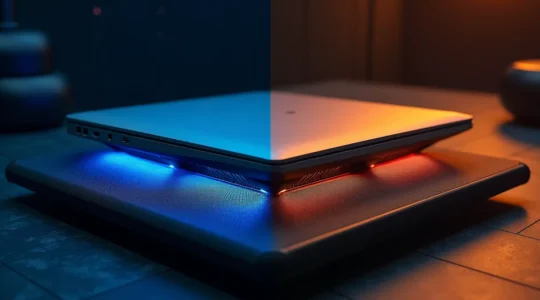
Cooling Pad or Repasting: Which Solution Stops Your Gaming Laptop from Throttling?
Your gaming laptop’s thermal throttling isn’t a simple “cooling pad vs. repaste” problem; it’s a failure of its entire thermal ecosystem, which you can systematically re-engineer. Physical maintenance like fan cleaning and ensuring proper airflow is the non-negotiable foundation for…
Read more
NVMe vs. SATA SSD: What Do You Really Need for Smooth 4K Video Editing?
The belief that a single, expensive NVMe SSD will magically solve all your 4K editing lag is a myth; your real-world performance is dictated by the weakest link in your entire data pipeline. A powerful GPU can’t compensate for CPU…
Read more
Your Ultimate Guide to a Pain-Free Dorm Room Laptop Setup
The constant neck and back pain from studying on your laptop is not inevitable; it’s a solvable design problem caused by your device’s core flaw. The key is to break the “ergonomic triangle” by separating your screen from your keyboard…
Read more
Why Obsessing Over Your Sleep Score Might Be Causing Your Insomnia?
The key to better sleep isn’t a perfect score, but learning to use your tracker as a tool for curiosity, not a source of judgment. Your tracker is often wrong about specific sleep stages like “deep sleep,” making panic over…
Read more
Password Manager vs. Notebook: The Surprising Truth About What’s Safer for Your Bank Account
The safest system for your banking logins isn’t about physical vs. digital; it’s about which one best defends against the massive, automated threats you actually face. A notebook is vulnerable to localized risks (theft, fire), while reused passwords stored in…
Read more
How to Set Up a Telemedicine Station for Seniors: A Caregiver’s Guide to Safer Remote Care
The key to successful senior telehealth isn’t just technology, but mitigating the clinical risks that arise from a poor remote setup. Choosing the right device and lighting directly impacts a doctor’s ability to make an accurate visual diagnosis. Securing data…
Read more
How to Use AR to Plan Furniture Layouts Accurately—And Avoid Costly Mistakes
Augmented reality’s “point-and-place” promise often hides critical inaccuracies; mastering the technical variables is the only way to ensure your virtual plan matches reality. The accuracy of AR tools is not guaranteed and heavily depends on your phone’s sensor technology (LiDAR…
Read more
How to Configure Your Notification Channels to Recover 1 Hour of Focus Daily?
The key to reclaiming your focus isn’t silencing notifications, but strategically redesigning your digital information flow from reactive to intentional. Constant interruptions are a biological issue, raising stress hormones like cortisol and draining cognitive capacity even when ignored. Effective solutions…
Read more
How to Create a Professional Mobile Office in Under 2 Square Meters
The secret to a functional micro-office isn’t buying smaller gadgets, but mastering the physics of your posture and the psychology of your space. Your body is a system of levers; incorrect screen height multiplies strain on your neck and back,…
Read more